Controls & Features
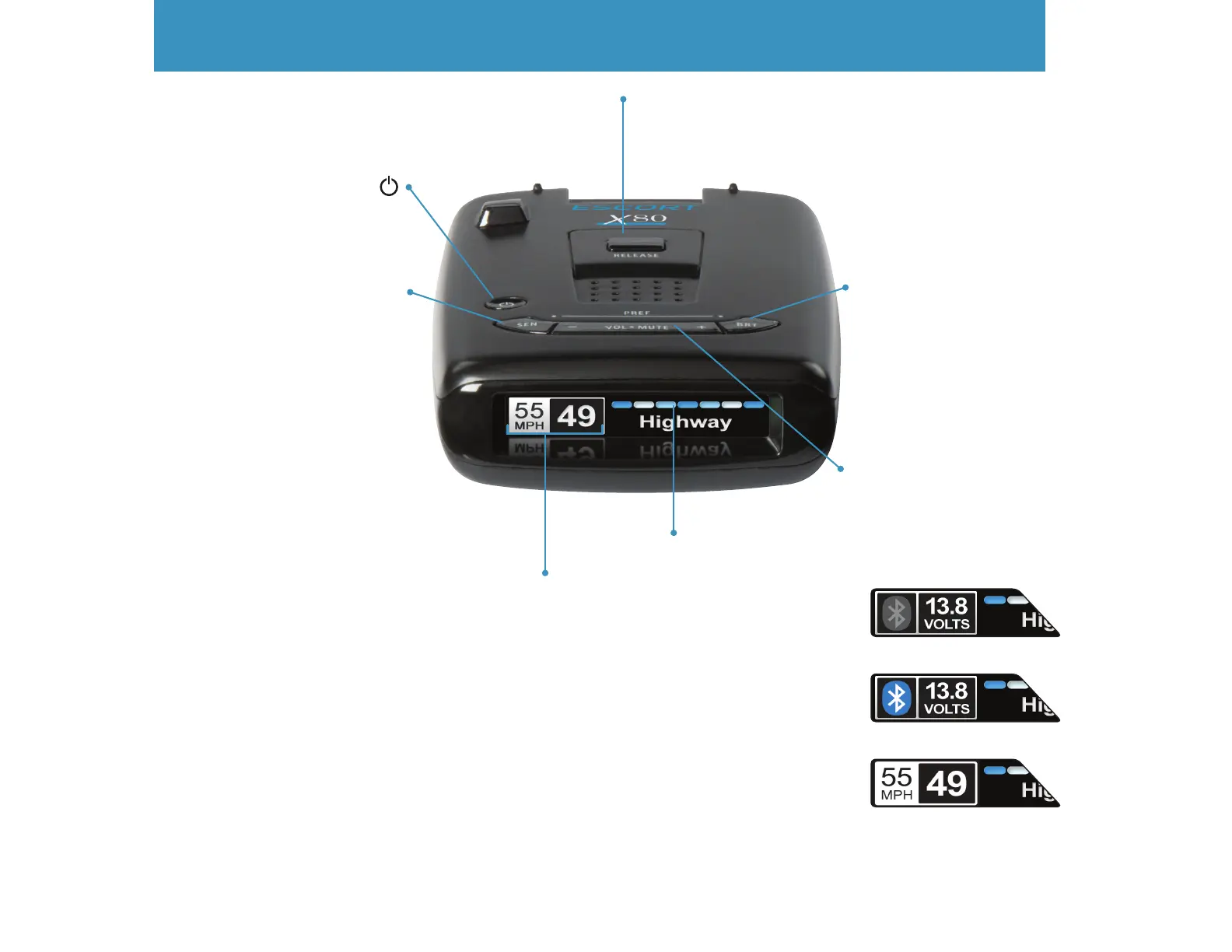
Power
Press to turn ESCORT
X80 on or o
Brightness (BRT)
Press to adjust display
brightness (Min, Med,
Max, Dark)
Vol•Mute
Press to mute an alert;
Press and hold + or − to
adjust volume
Mount Release
Press to remove device
from mounting
bracket
7
Display
Alert area
Sensitivity (SEN)
Press to adjust detector
sensitivity (Highway,
Auto, Auto NoX)
Important! Actual speed and live alerts will not be shown on your ESCORT X80 if your smart phone
does not have good gps reception.
Display
• Bluetooth icon appears in grey when
not paired to phone and car battery
voltage appears to the right.
• When paired to phone a Bluetooth
icon will appear on display screen in
blue.
• When connected to Escort Live, the
Speed limit data and actual speed will
display on screen.


 To Next Page