Appendix V: Address discovery at the remote site
Remote IP Feature Phone Installation Manual
L.2
If the NAT router is already in place and you have no documentation for it, and a PC is already configured
to use the NAT router, the following steps will help you gather the needed IP addresses.
Checking existing address information
Important:
The procedure shown below is for use within Windows 95 and 98. However, if you’re using
Windows NT, Windows 2000 or Windows XP:
1. Click on the Windows
Start
button and select
Run
. The
Run
window will appear.
2. Type command and click on
OK
. This will open a DOS window.
3. Type ipconfig /all and press
Enter
.
This provides the same information as the Windows 9x procedure shown below, except that the
information appears within a DOS window.
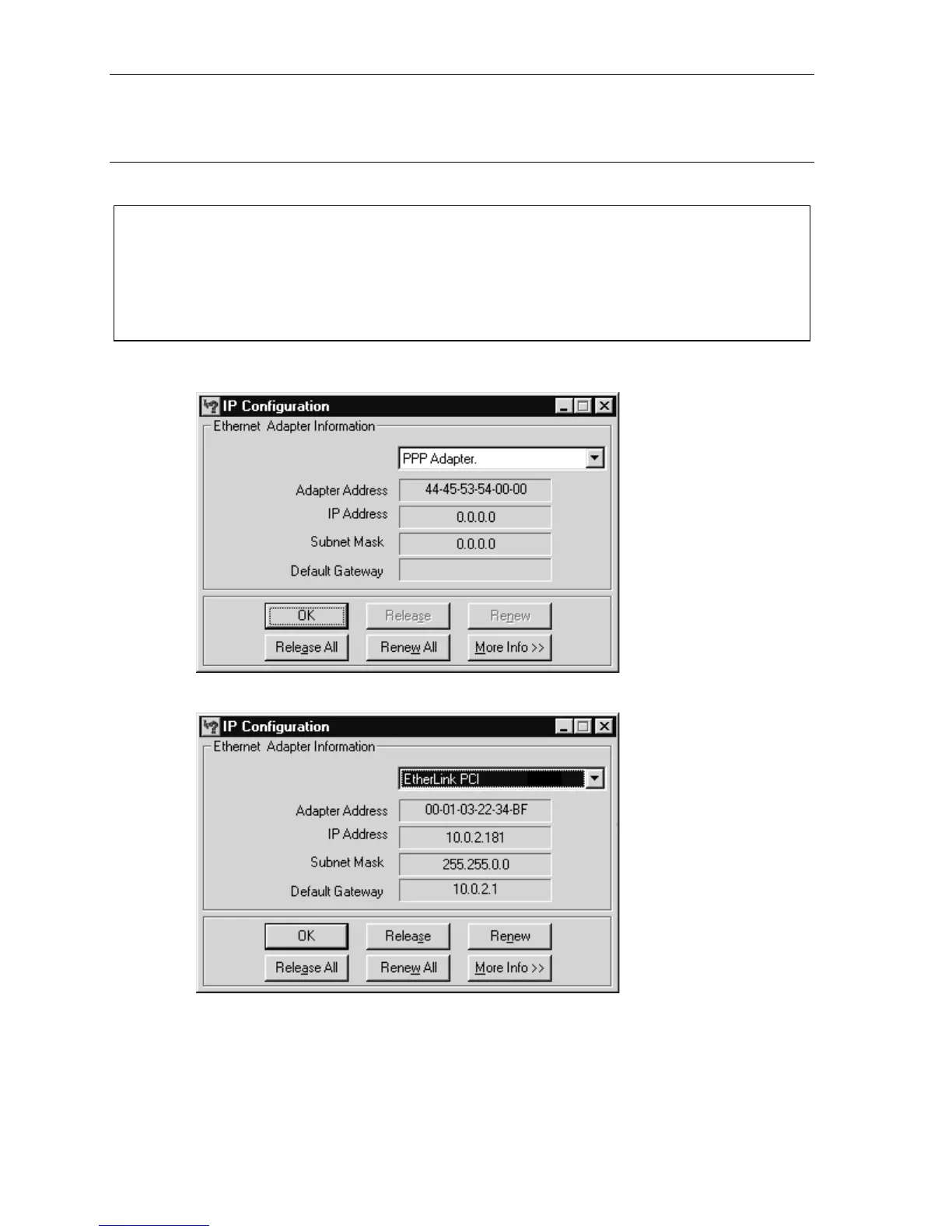
1. Click on the Start button and select Run. The Run window will appear.
2. Type winipcfg and click on OK. The IP Configuration window will appear:
3. Choose the Ethernet adapter in the dropdown box:



 To Next Page