ESI UGM192
8
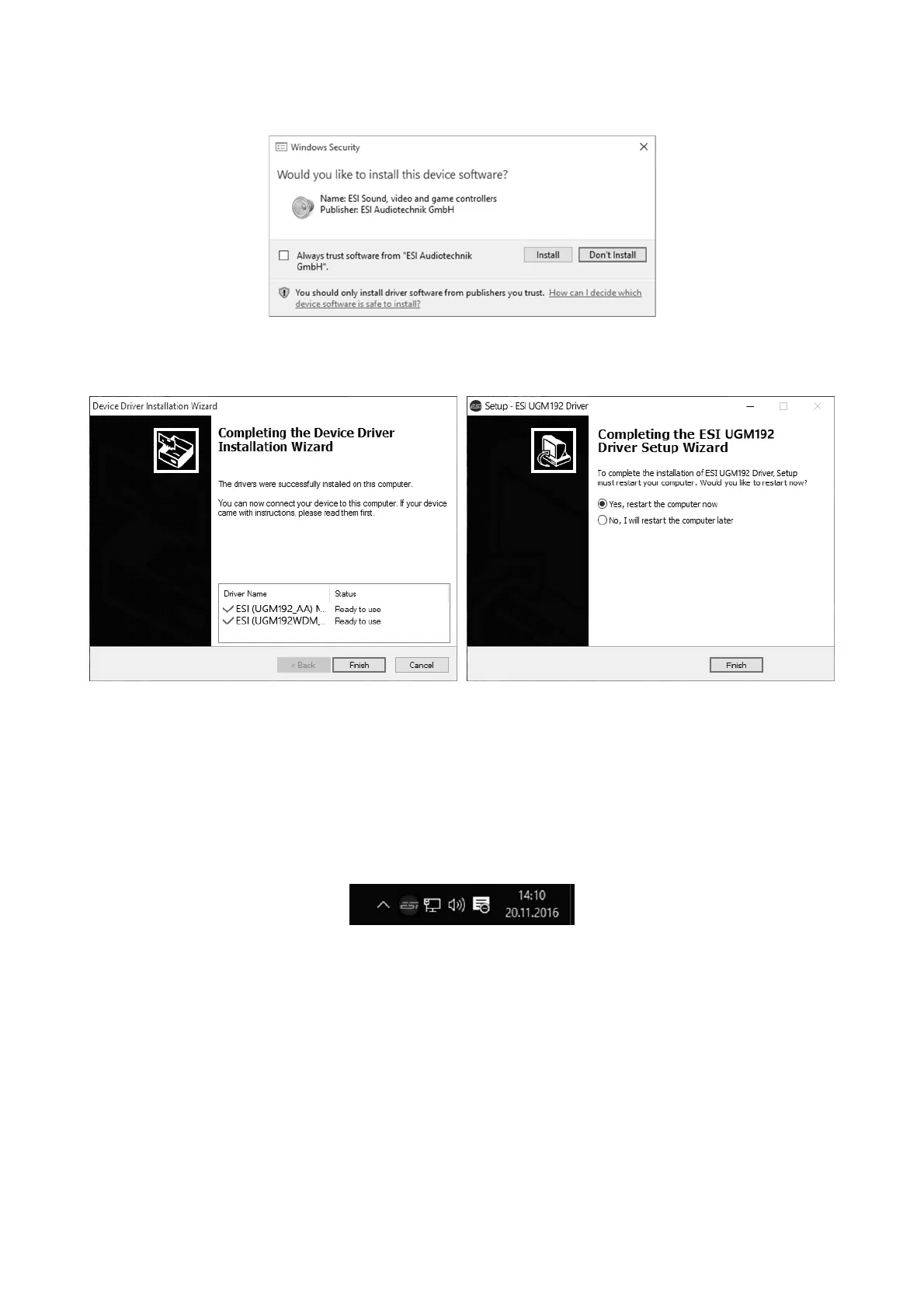
Confirm it by clicking Install. After a while the installation then will be completed and the following
dialog will appear:
Once you see the window on the left, click Finish. In many cases, the window on the right appears
then. We strongly suggest to select Yes, restart the computer now and then click Finish.
You can connect UGM192 to your computer anytime now. Windows will automatically setup the
system so you can use the device.
To confirm the completion of the installation after rebooting the system, please check if the orange
color ESI icon is displayed in the taskbar notification area as shown below.
If you can see it, the driver installation has been completed successfully.



 To Next Page