21
Wear
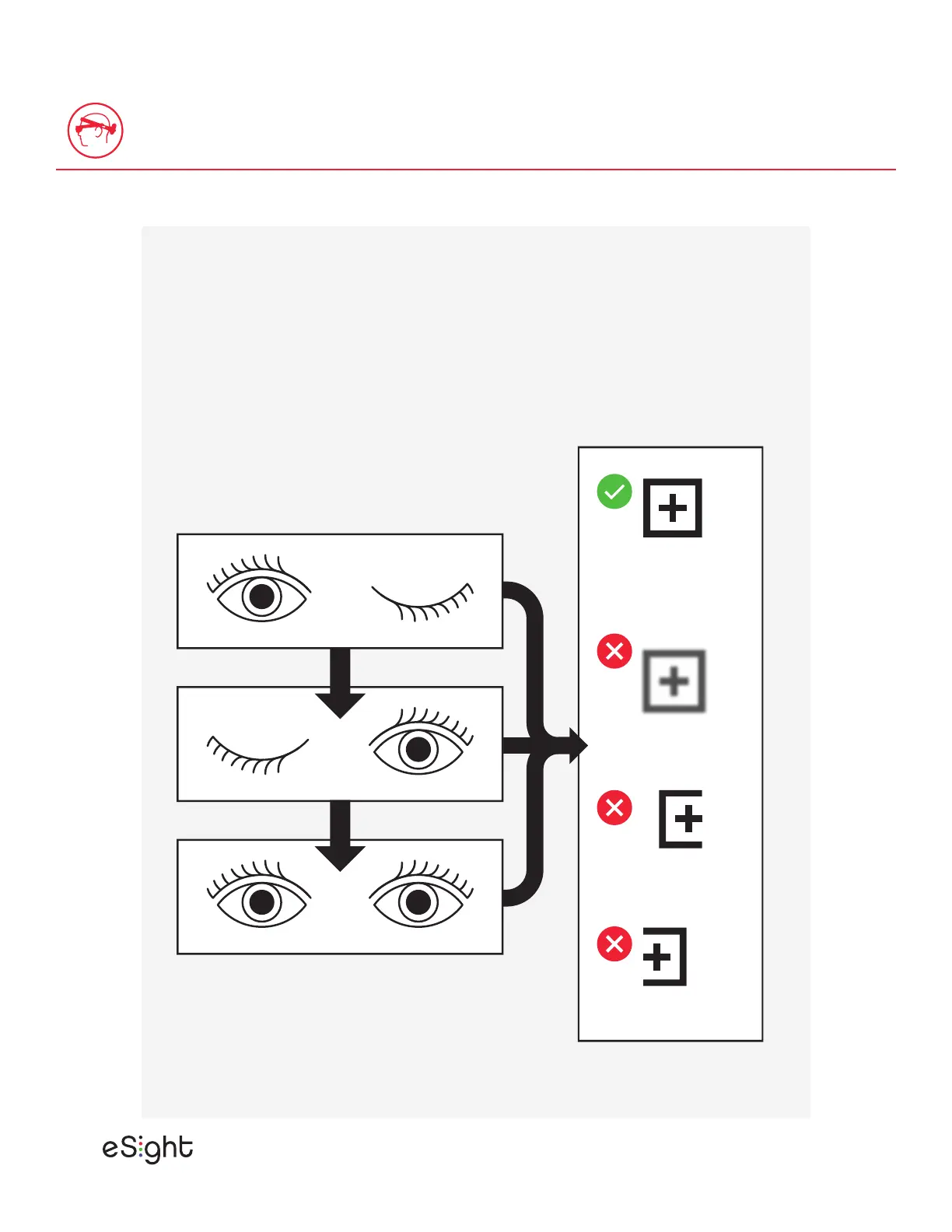
Close one eye, and move the screen in front of the
open eye until you see a clear, sharp view.
Then, repeat for the opposite eye and screen.
Finally, if you need to fine-tune the view, move the
screens with both eyes open.
Clipped Left
Clipped Right
Blurry
Clear &
Complete


 To Next Page