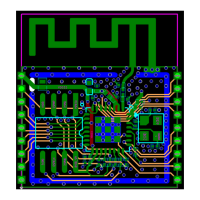
Flash1 (the one mounted on the test board): Flash1 is connected to the chipset using
SPI interface. Currently, Flash1 is mainly used when the chip is working under WiFi
standalone mode. R9 and R85 can be used as chip select of Flash1. By default, Flash
1 is enabled. (Refer to Part 15 in Fig. 14)
Flash2 (the one mounted on the baseboard): Flash2 is connected to the chipset
using HSPI interface. HSPI is mainly used in SIP mode, in this application, ESP8266EX
chipset is used as slave device, and is connected to the host MCU using the SPI
interface that is defined in standard SDIO interface. HSPI is connected to Flash2. J3
can be used as chip select of Flash2. (Refer to Part 15 in Fig. 14)
There are several modules that can be connected with ESP-LAUNCHER development
board for testing and development, including the test board that is mounted on the
baseboard, modules with1.27mm double-row needles, and 2.00mm double-row
needles (including ESP-WROOM-01 and ESP-WROOM-02).
It should be noted that pins of the modules should be connected with
corresponding pins on the baseboard. Besides, only one type of module can be
used at one time. (Refer to Part 17 and 11 in Fig. 14)



 To Next Page