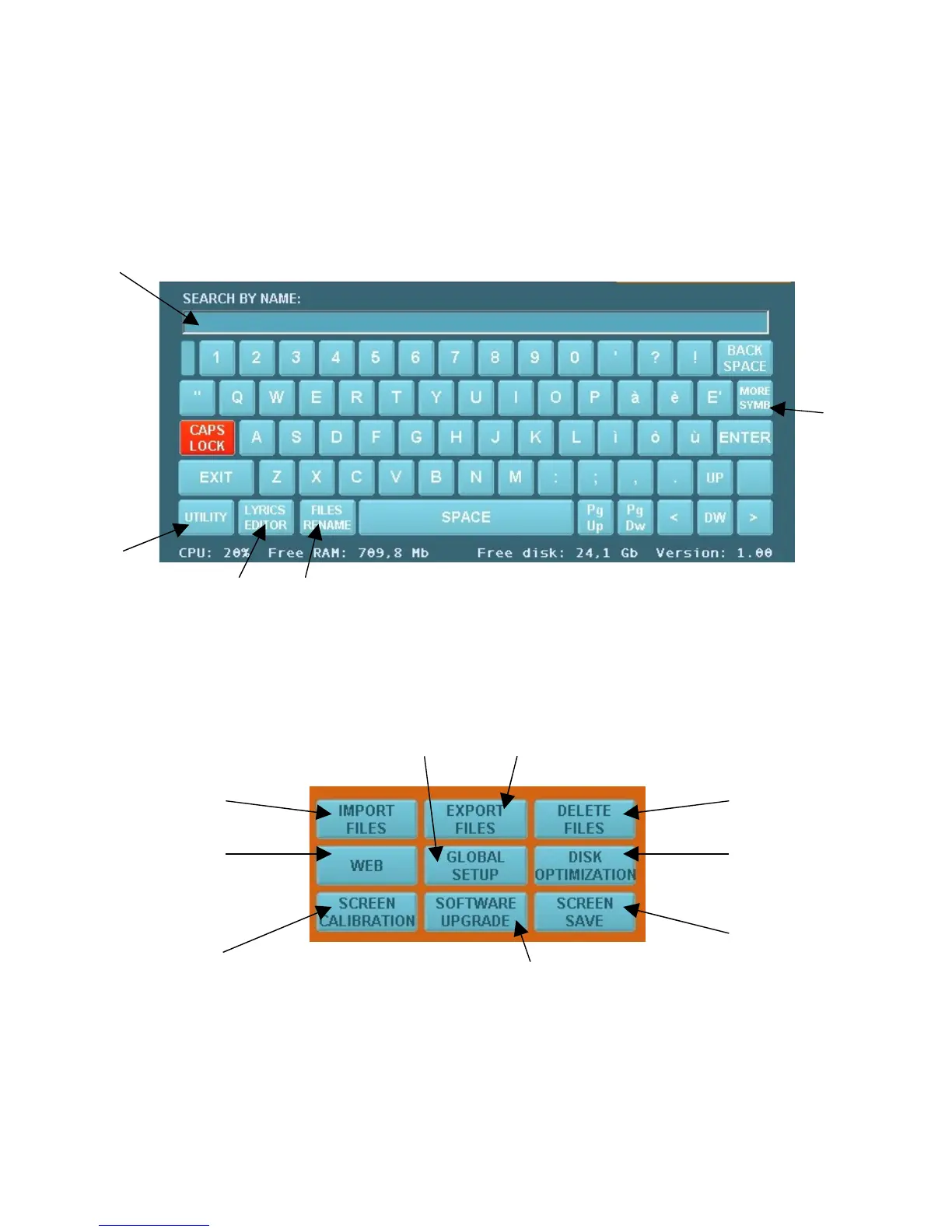
A quick look to the principal functions and screens:
When pressing the "CONSOLE" key (below left), the following window will appear, which will
occupy the bottom half of the display.
To exit the CONSOLE, press the same key again or "EXIT" directly from the console.
The keys are the ones of a computer keyboard, excluding some keys which are described below.
1
5
2
3 4
1) Space reserved for alphabetical search of a song title, lyrics editor and to rename files.
2) “UTILITY” key. After pressing this key, the window below will appear:
I H
A G
B F
E
C
D
A) To import all types of compatible files.


 To Next Page