
 Need help?
Do you have a question about the essentiel b RRV-300DAB+ and is the answer not in the manual?
Lists all items included in the product package.
Details the specifications and features of the clock radio.
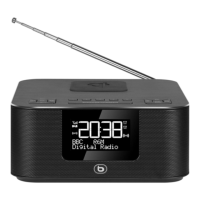
Details the function and location of each numbered part of the device.
Provides essential safety and usage guidelines for the device.
Clarifies the meaning of symbols found on the AC adapter.
Advises on precautions to protect the device from water damage.
Explains the importance of proper airflow for the device.
Provides instructions on how to clean the exterior of the clock radio safely.
Advises on safe disposal and handling of batteries.
Discusses Bluetooth technology and potential interference with other electronic devices.
Details the steps for connecting the clock radio to a power source.
Explains how to insert or replace backup batteries in the device.
Guides users on powering the device and switching between clock and audio modes.
How to change the brightness level of the LCD display.
Steps to select the preferred display language for the device interface.
Instructions for controlling the audio volume of the clock radio.
How to switch between different audio sources like DAB, FM, Bluetooth, USB, etc.
Procedures for automatically or manually setting the device's date and time.
How to use the sleep timer to automatically turn off audio after a set period.
Instructions for using the nap timer to wake up with audio after a delay.
Explains what DAB and DAB+ digital radio standards are.
Guides on the initial steps to tune into digital radio stations.
Details the automatic setup process when the device is first powered on.
How to scan for all available DAB stations automatically.
How to manually tune to specific DAB channels or frequencies.
How to save favourite DAB stations for quick access.
How to scan for all available FM stations automatically.
How to manually tune to specific FM frequencies.
How to save favourite FM stations for quick access.
How to access saved FM radio stations.
How to select between mono and stereo audio output for FM radio.
Steps to connect a Bluetooth device for audio playback.
How to manage Bluetooth audio playback using the device controls.
How to unpair or disconnect a Bluetooth device.
Instructions for connecting and using the device as a speaker via the AUX input.
How to play audio files from USB drives or microSD cards.
Step-by-step guide to set up and configure alarms.
Details various options for customizing alarm behavior like mode, volume, and station.
How to activate or deactivate the set alarms.
Instructions for using the snooze function or stopping an active alarm.
How to completely stop an alarm once it has sounded.
How to use the device's wireless charging pad for compatible devices.
Answers common questions regarding wireless charging functionality.
How to access and move through the device's system settings menu.
Details configurable options for time, announcements, and language.
How to adjust the LCD screen's backlight timeout and brightness.
Steps to restore the device to its original factory default settings.
How to check the current software version of the clock radio.
Lists common issues and their solutions for the clock radio.
Provides information about the device's compliance with EU directives.
Explains WEEE symbol and responsible disposal of electronic waste.
Details warranty validity and exclusions based on laboratory testing.
 General
| Type | Clock Radio |
|---|---|
| Brand | Essentiel B |
| Model | RRV-300DAB+ |
| Radio Type | DAB+/FM |
| Display Type | LCD |
| Alarm | Yes |
| Presets | 20 |
| Dual Alarm | Yes |
| Wake-up Sounds | Buzzer, Radio |
| Sleep Timer | Yes |
| Battery Backup | Yes |
| Color | Black |
| Power Source | Mains powered |

 To Next Page