
 Need help?
Do you have a question about the essentiel b RUMBA II and is the answer not in the manual?
Visual indicators, screen, and audio output components.
Buttons for power, playback, tuning, volume, and opening the disc compartment.
Ports for USB, power input, batteries, and auxiliary audio sources.
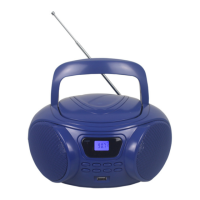
Antenna, disc cover, and carrying handle for operation and portability.
How to connect the device to the mains power supply.
Instructions for installing backup batteries for operation.
Procedures for powering the device on, off, and exiting standby mode.
How to increase or decrease the audio volume.
Steps to tune into FM radio stations and improve reception.
Scan and store radio stations automatically.
Manual procedure to save favorite radio frequencies.
Instructions for inserting and playing audio CDs and MP3 discs.
Programming a sequence of tracks from a CD.
Start, pause, resume, stop, and fast forward/backward functions.
Selecting playback modes like repeat track, folder, or random.
How to connect and play music from a USB storage device.
Using the AUX IN port to play audio from other devices.
Guidelines for safely cleaning the boombox unit.
Proper handling, cleaning, and storage of audio discs.
Resolving problems with the device not switching on or CD playback errors.
Addressing issues with no sound, erratic sound, or poor radio reception.
Information on proper disposal and recycling of the appliance.
Details on warranty validation and coverage limitations.
 General
| Brand | essentiel b |
|---|---|
| Model | RUMBA II |
| Category | MP3 Player |
| Language | English |

 To Next Page