User Manual - Neptune Mini Filtering System
______________________________________________________________________________
V 1.2
- 5 -
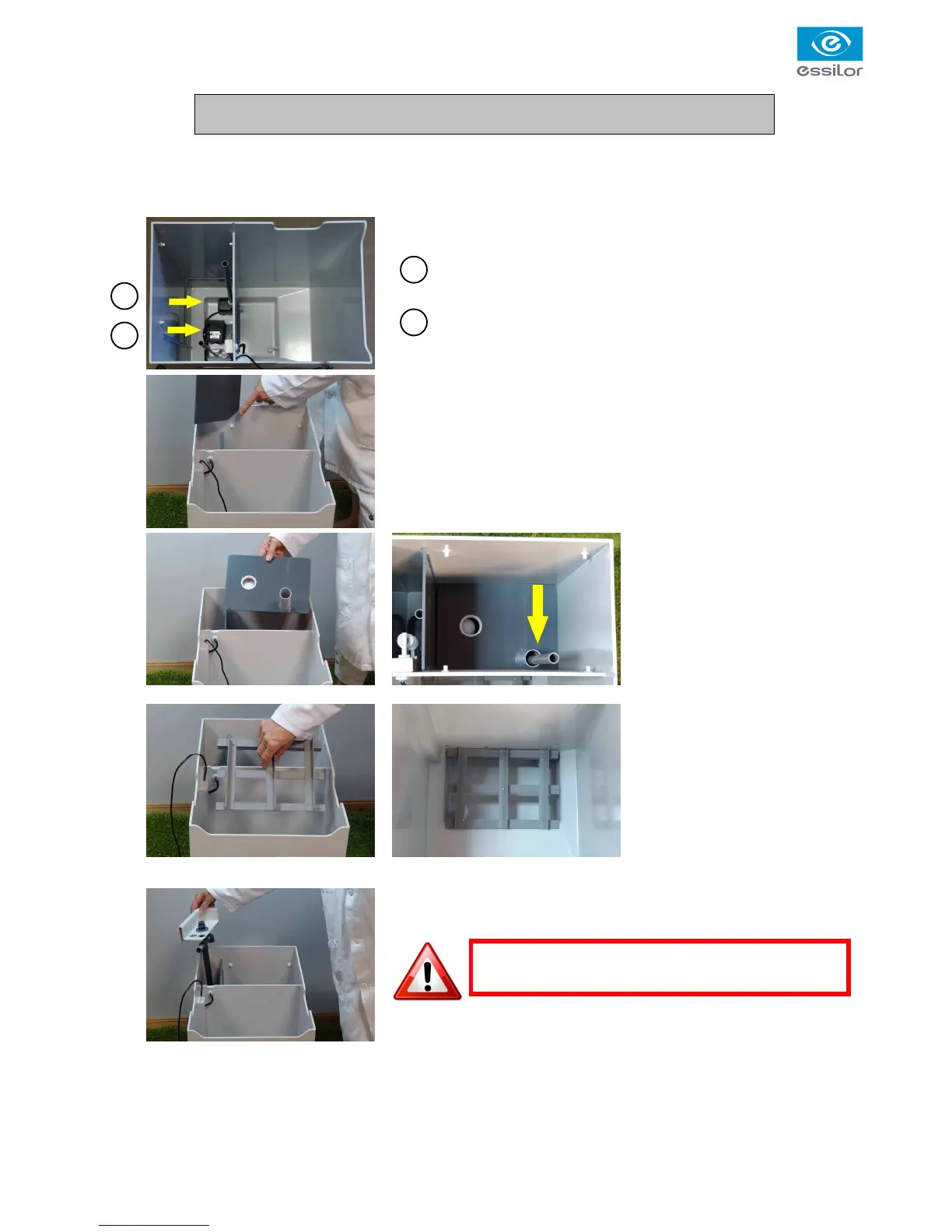
1. Unpack Neptune and remove all the polystyrene packaging
2. Check correct positioning of the 2 pumps.
1 Return pump
2 Main pump
3. Introduce the PVC grey wall into the dedicated slides. The cut
corner of the wall must be oriented toward the rear of the tray.
4. Insert the anti-foam plate
and lower it down to the
plastic stops.
The tube of the pump must
pass through the tube fixed
to the plate. See photos
5. Introduce the grid protecting
the sensor down in the front
tank. See photos.
6.
Position the rear hydraulic plate.
.



 To Next Page