PHONE OVERVIEW
2.1 PHONE DISPLAY
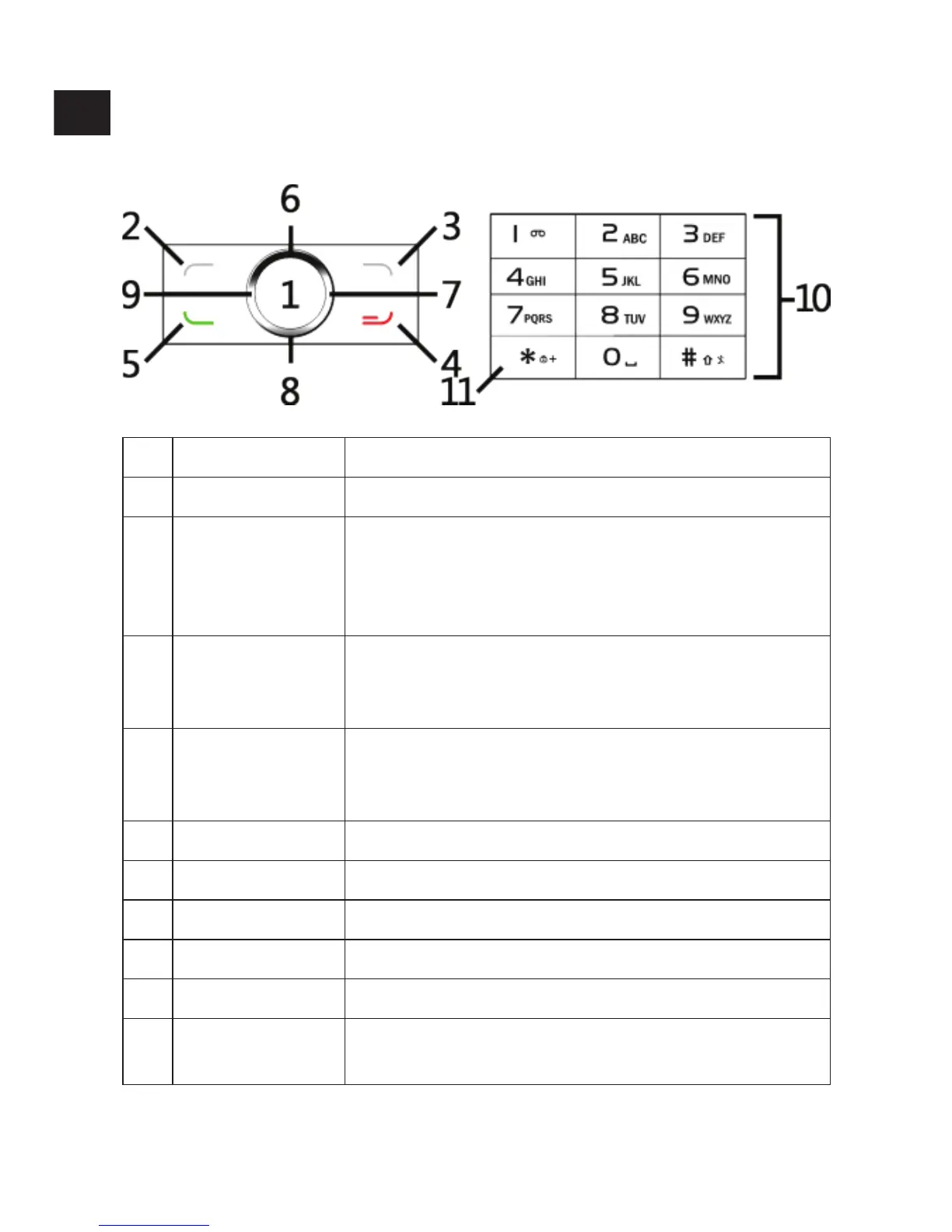
1 OK Conrmation key.
2 LEFT SOFT KEY Press it in the idle screen to open the main menu.
3 RIGHT SOFT KEY
Press it in the idle screen to open the contact
list. This key serves the purpose of returning to
a previous menu when used outside of the idel
screen.
4 END KEY
Press it to hung up a call. Long press it to turn the
phone on or o. Press it in any screen to return to
the idle screen.
5 CALL KEY
Press it to call a phone number, answer an
incoming call. Displays the call history menu
when used on the idle screen outside of a call.
6 UP Directional key.
7 RIGHT Directional key.
8 DOWN Directional key.
9 LEFT Directional key.
10 NUMPAD Numerical keys.
11 STAR
Press * to input one of the following symbols:
*, +, P, W.
EN


 To Next Page