EasyManua.ls Logo

ETC REsponse - User Manual

ETC REsponse
4 pages
Print Icon
To Next Page IconTo Next Page
Loading...
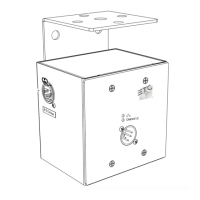
The Response ConverterTM network interface allows you to convert 192 DMX512 signals
to AMX192 or 192 AMX192 signals to DMX512. The compact interface box features an
optically isolated DMX512 link and a 100 hertz output update rate. This manual provides
information on all Response Converter controls, connectors and indicators.
To use Response Converter, follow these steps:
1. Plug power cable into a 120 VAC outlet.
2. For DMX512 to AMX192 operation, set DIP switch 3 down and switch 4 up. If optical
isolation is desired, set DIP switch 1 up. For AMX192 to DMX512 operation, set DIP
switch 1 down, switch 3 up and switch 4 up.
3. Press Reset.
4. Insert input and output cables into appropriate connectors.
5. Set number switches to starting dimmer output number (see page 2).
6. If Response Converter is the last device in a DMX512 data link, set DMX512
terminator switch On (right). In AMX192 to DMX512 mode, leave terminator switch Off
(left).
7. See following pages for adjustment pot settings and additional information on switch
functions and settings.
Note: When data flow is interrupted, all outputs fade to zero percent after three minutes.
11
Converter
U S E R M A N U A L
TM
3
2
1
9
8
7
6
5
4
3
2
1
0
9
8
7
6
5
4
1 2 3 4 5 6 7 8
PUSH
➒➓
3
2
1
9
8
7
6
5
4
0
3
2
1
9
8
7
6
5
4
0
PUSH
11
DMX512 Input
DMX512 Output
AMX192 Output
AMX192 Input
Reset switch
Indicator LEDs
DMX512 termination switch
Adjustment pots
DIP switches
Number switches
AC power cable

Other manuals for ETC REsponse

Question and Answer IconNeed help?

Do you have a question about the ETC REsponse and is the answer not in the manual?

Summary

Entering Starting Analog Dimmer Address

Performing Diagnostic Tests

Chase

Flashes dimmers sequentially to full intensity in a chase.

Fade All

Fades all dimmers to full intensity and then back to zero.

Fade Chase

Fades dimmers sequentially to full intensity and back to zero.

Selected Output to Full

Sets a specific dimmer output to full intensity.

All to Percent

Sets all dimmer outputs to a specified percentage.

All to DMX512 Level

Sets all dimmer outputs to a DMX512 intensity level.

Interface Connectors and Controls

DMX512 Connectors

Describes the male and female XLR connectors for DMX512 input and output.

AMX192 Connectors

Describes the female and male XLR connectors for AMX192 input and output.

Reset Switch Function

Explains the reset switch for rereading settings and starting/stopping tests.

Indicator LEDs

Details the meaning of the top and bottom indicator LEDs for data and power status.

DMX512 Termination Switch

Explains how to set the DMX512 termination switch for the last device in a data stream.

Potentiometer Adjustments

Introduces potentiometers for adjusting AMX192 input and output levels.

Configuration Settings

DIP Switch Settings

Details DIP switch settings for operation mode and optical isolation.

AC Power Requirements

Specifies operating voltage range and fuse type for AC power.

Specifications Summary

Lists dimensions, weight, and processing speed of the Response Converter.

Summary

Entering Starting Analog Dimmer Address

Performing Diagnostic Tests

Chase

Flashes dimmers sequentially to full intensity in a chase.

Fade All

Fades all dimmers to full intensity and then back to zero.

Fade Chase

Fades dimmers sequentially to full intensity and back to zero.

Selected Output to Full

Sets a specific dimmer output to full intensity.

All to Percent

Sets all dimmer outputs to a specified percentage.

All to DMX512 Level

Sets all dimmer outputs to a DMX512 intensity level.

Interface Connectors and Controls

DMX512 Connectors

Describes the male and female XLR connectors for DMX512 input and output.

AMX192 Connectors

Describes the female and male XLR connectors for AMX192 input and output.

Reset Switch Function

Explains the reset switch for rereading settings and starting/stopping tests.

Indicator LEDs

Details the meaning of the top and bottom indicator LEDs for data and power status.

DMX512 Termination Switch

Explains how to set the DMX512 termination switch for the last device in a data stream.

Potentiometer Adjustments

Introduces potentiometers for adjusting AMX192 input and output levels.

Configuration Settings

DIP Switch Settings

Details DIP switch settings for operation mode and optical isolation.

AC Power Requirements

Specifies operating voltage range and fuse type for AC power.

Specifications Summary

Lists dimensions, weight, and processing speed of the Response Converter.

ETC REsponse Specifications

General IconGeneral
BrandETC
ModelREsponse
CategoryGateway
LanguageEnglish

Related product manuals