5
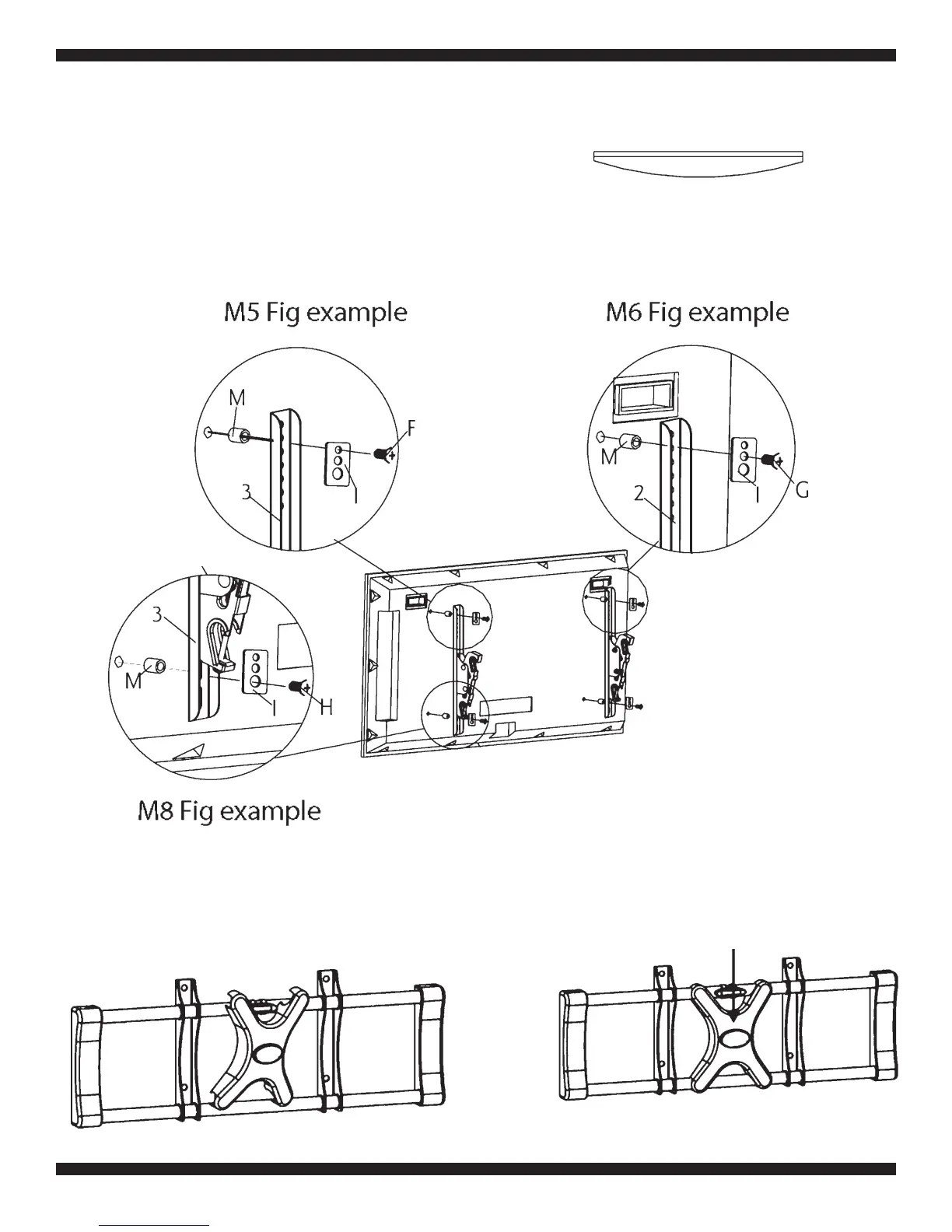
If your television has a curved back and mounting
holes are recessed (Fig a), spacers are required.
Install the spacers (M) between the display and
the bracket as shown in Fig 1b. Then use the se-
lected bolts (A-H) and square washers (I) to in-
stall the brackets with spacers to the back of the
television. Make sure that the two brackets are
equal in height and are level. Once the brackets
are aligned, securely tighten the bolts (Fig 1 b).
Fig. a
Fig. 1b
Step 2: Install the cable cover
Route the cables as required. Snap the cable cover into place on
the rods (Fig. 2a), and then slide the cover into position as required
(Fig. 2b).
Slide down
Fig. 2a
Fig. 2b


 To Next Page