

EasyManua.ls Logo

ETEKCITY ESWL03 - User Manual

ETEKCITY ESWL03
37 pages
Print Icon
To Next Page IconTo Next Page
Loading...
ETEKCITY
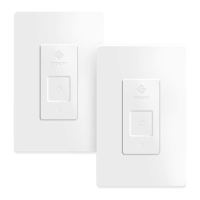
Smart WiFi Light Switch
Model No.:ESWL03
Questions or Concerns
Mon-Fri 9:00 AM - 5:00 PM PT
support@etekcity.com (855) 686-3835
Question and Answer IconNeed help?

Do you have a question about the ETEKCITY ESWL03 and is the answer not in the manual?

Summary

Safety Information

Installation Safety

Critical warnings and precautions for safely installing the smart switch.

General Safety

Guidelines for safe operation and usage of the smart switch.

Product Requirements

Installation

What Youll Need

Lists the tools and materials required for installing the smart switch.

Removing the Old Light Switch

Installing the Smart Switch

Add Device

VeSync App Setup

Guides users through downloading and setting up the VeSync app.

Configuration

Explains the process of configuring the smart switch with the app.

Functions

Turning Devices On;Off

Instructions for controlling the smart light switch via the app.

Create Schedule

Set Timer

Away Mode

Smart light switch Settings

More Features

Connecting with Amazon Alexa

Instructions to link the smart switch with Amazon Alexa.

IFTTT

Create an Applet Using Existing VeSync Templates

Create a Custom Applet

Maintaining Your Smart Light Switch

Troubleshooting

WiFi Connection Setup Issues

Solutions for common problems connecting to WiFi during setup.
Customer Support

ETEKCITY ESWL03 Specifications

General IconGeneral
BrandETEKCITY
ModelESWL03
CategorySwitch
LanguageEnglish