Touch Buttons
There are four touch buttons under the LED display: Menu, Down, Up, Enter. Normally, the
LED will display the current DMX address code of the fixture. At this time, presses Menu to
choose the function you want to set up. Press and hold Up or Down to fast scrolling within
the menu options. When an option is flashing the LED display, press Enter to confirm and
Menu to exit.
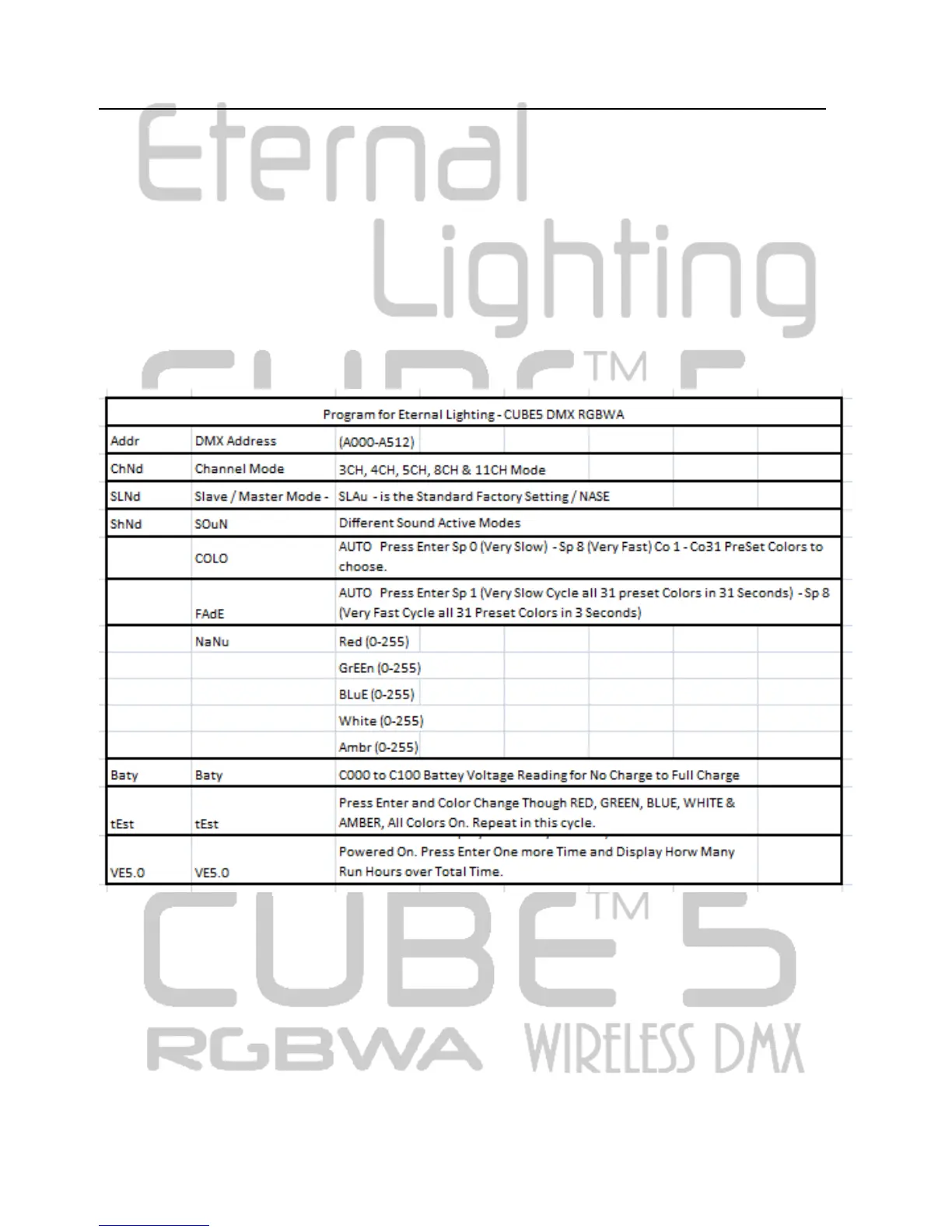
LED Operation Menu:
After initialization, the unit is ready for setting and working. Please see the following table for
setting information.
For Battery Function and Charge
The unit has the function of battery powered. The button for battery and charge is set on the
rear panel. It is showed as the following picture, and the function is described as below.



 To Next Page