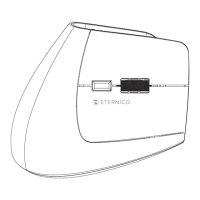
This document is a user manual for the Eternico Wireless & Bluetooth Mouse MSB500 (model AET-MSB500x). It provides instructions for installation, an overview of the mouse's features, technical specifications, safety information, and warranty details.
Function Description
The Eternico MSB500 is a versatile wireless mouse designed for use with various devices. It offers dual connectivity options: a 2.4 GHz nano receiver for standard wireless connection and Bluetooth for broader compatibility. This allows the mouse to be paired with multiple devices and switched between them as needed. The mouse is equipped with six buttons, including standard left and right click buttons, a scroll wheel that also functions as a middle button, a DPI button for adjusting sensor resolution, and forward/back buttons for enhanced navigation. It also features a power-saving mode to conserve battery life when not in use.
Important Technical Specifications
- Sensor Resolution: The mouse offers adjustable sensor resolution with settings of 1000, 1600, and 2400 DPI (dots per inch). This allows users to customize the cursor speed and sensitivity to their preference.
- Sensor Technology: It utilizes optical sensor technology, which is common for providing precise tracking on various surfaces.
- Number of Buttons: The mouse has a total of 6 buttons, providing comprehensive control and customization options.
- Scroll Wheel: It includes a scroll wheel, which also functions as a middle button, facilitating vertical scrolling and additional click functionality.
- Wireless Range:
- 2.4 GHz Wireless: Up to 20 meters. This provides a generous range for use with a dedicated USB receiver.
- Bluetooth: Up to 10 meters. This range is typical for Bluetooth devices and allows for flexible connectivity without a dongle.
- Power Supply: The mouse is powered by 1x AA battery.
- Dimensions: The physical dimensions of the mouse are 110 × 68 × 43 mm, indicating a compact and ergonomic design suitable for various hand sizes.
- Weight: It weighs 80 g (without batteries), making it lightweight and portable.
- Operating Temperature: The mouse is designed to operate within a temperature range of 0° to 40 °C.
Usage Features
Overview of Mouse Components:
The manual provides a detailed diagram of the mouse, identifying its key components:
- Top Side:
- Left button
- Scroll wheel (also serves as a middle button)
- Right button
- DPI button (for changing sensor resolution)
- Forward and back buttons
- Bottom Side:
6. Wireless receiver (stored under the battery cover)
7. Battery slot
8. Connection mode button (for switching between 2.4GHz, BT1, and BT2 modes)
9. ON/OFF switch (for turning the mouse on and off)
10. Wireless receiver (physical location on the bottom)
Installation and Pairing:
- Battery Insertion: Open the battery cover, insert an AA battery, and remove any protective foil from the battery.
- 2.4 GHz Nano Receiver Connection:
- Remove the receiver from under the battery cover.
- Insert the receiver into the desired device (e.g., computer, laptop). The receiver should install automatically.
- Switch the mouse to the ON position using the ON/OFF switch. The mouse will be ready for use.
- Bluetooth Connection (BT1/BT2):
- Press the connection mode button on the bottom of the mouse. The BT1 or BT2 LED indicator will light up.
- Once the BT1 or BT2 indicator is on, press and hold the connection mode switch for 3-5 seconds until the indicator starts blinking. This signals that the mouse is in pairing mode.
- On your device, select "Add Bluetooth device" and search for the mouse's pairing name: MSB500_3.0 / MSB500_5.0.
- Confirm the selection on your device. The mouse will then be ready for use.
Power Saving Mode:
The mouse features an automatic power-saving mode. When idle, it enters this mode to reduce power consumption. To wake the mouse up, simply press any button.
Troubleshooting:
If the mouse is not working, the manual advises checking the battery, ensuring the mouse is turned on, and verifying that it is within the range of the wireless receiver.
Maintenance Features
Safety Information:
The manual emphasizes several safety guidelines to ensure proper use and longevity of the product:
- Intended Use: Use the product only for its intended purpose.
- Avoid Misuse: Incorrect use can lead to fire, explosion, or other hazards, potentially voiding the warranty.
- Not a Toy: The product is not a toy and may contain small parts; keep it out of reach of children.
- Storage: Store the product in a clean and dust-free environment.
- Temperature Exposure: Do not expose the product to high or low temperatures. Keep it dry.
- Disassembly: Do not disassemble the product. Improper modifications can cause damage and serious injuries.
- Cleaning: Use only a soft, clean, dry cloth to clean the surface of the product.
Environmental Responsibility:
Eternico highlights its commitment to environmental protection through its packaging and manufacturing practices:
- Recyclable Packaging: The packaging is made from 100% recyclable paper.
- Soy-Based Ink: The packaging is printed with soy-based ink instead of traditional petroleum-based inks.
- Reduced Adhesives: The use of adhesives is limited, and water-soluble adhesives are preferred when necessary.
- WEEE Symbol: The product is marked with the WEEE symbol, indicating that it should not be treated as household waste. It must be disposed of correctly to protect the environment. Users are advised to contact their local authority, household waste disposal service provider, or the shop where the product was purchased for detailed information on recycling.
- RoHS Compliance: The product meets the requirements of Directive 2011/65/EU on the restriction of the use of certain hazardous substances in electrical and electronic equipment (RoHS).
Warranty & Support:
The product comes with a 24-month warranty, which can be extended. For inquiries or support, customers are directed to contact Eternico via the contact form or international call centers. Contact numbers are provided for Czech Republic, Germany, Hungary, Austria, Slovakia, and United Kingdom.

 Need help?

 To Next Page
 General