EN 11
USE
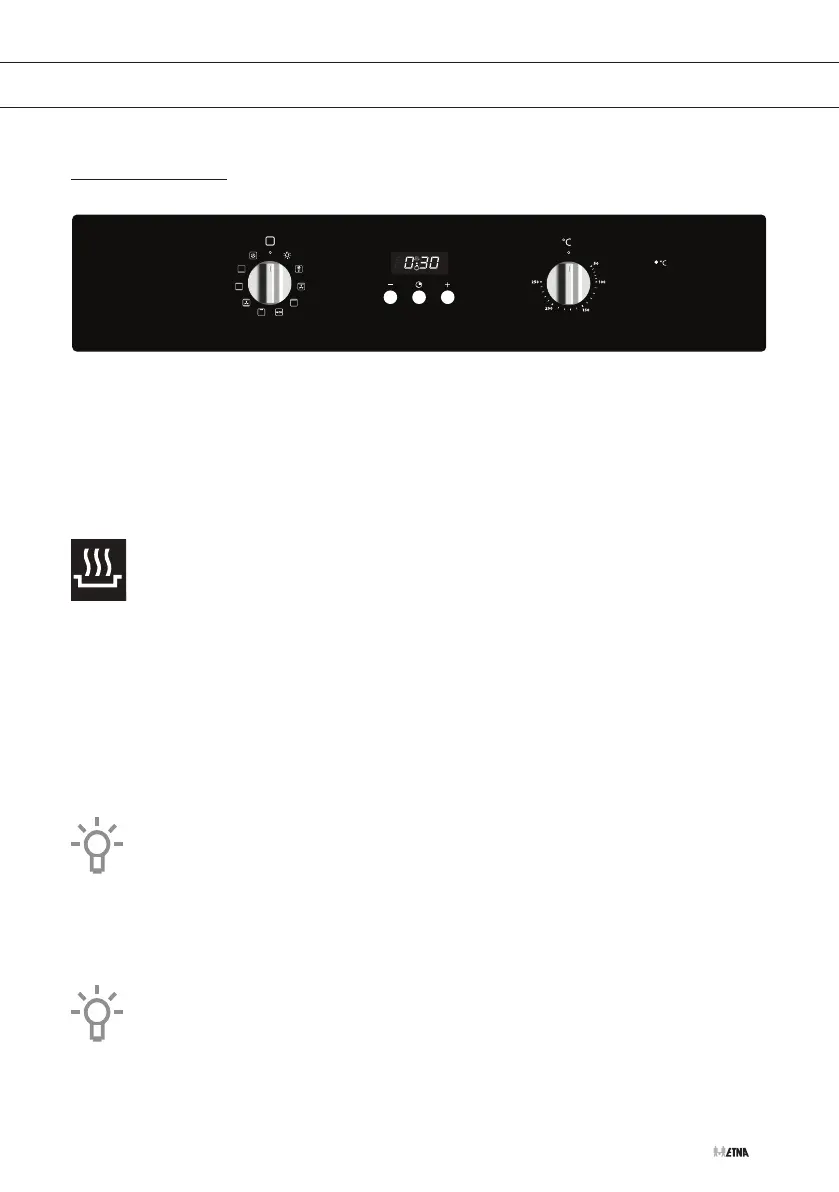
Controls
Using the oven
The oven has 9 oven functions. Consult ‘Oven functions table’ to select the correct oven function
to cook the dish.
Attention!
The oven cannot be used when it is in 'lock' mode (no oven symbol visible in the
display). Switch the oven to standby mode by pressing and holding the clock
button until the oven symbol appears in the display.
1. Set the clock to standby operation by depressing the clock button until the oven symbol
appears in the display.
2. Turn the oven function knob to select an oven function (consult the Oven functions table).
3. Select a temperature with the temperature knob.
4. Use the timer to set an end time or start and end times, if desired
(see ‘Using the timer’).
▷ The oven switches on.
Note: for some dishes, the oven must be preheated first! Consult the information
about the dish.
Cancelling an oven function
• You can stop or cancel a running program by setting the oven function knob to
the ‘0’ setting.
Press the ‘+’ and the clock button simultaneously for 3 seconds to switch the oven to
'lock' function (oven symbol disappears from the display).
A


 To Next Page