EN 12
OPERATION
Filling the rinse-aid and setting
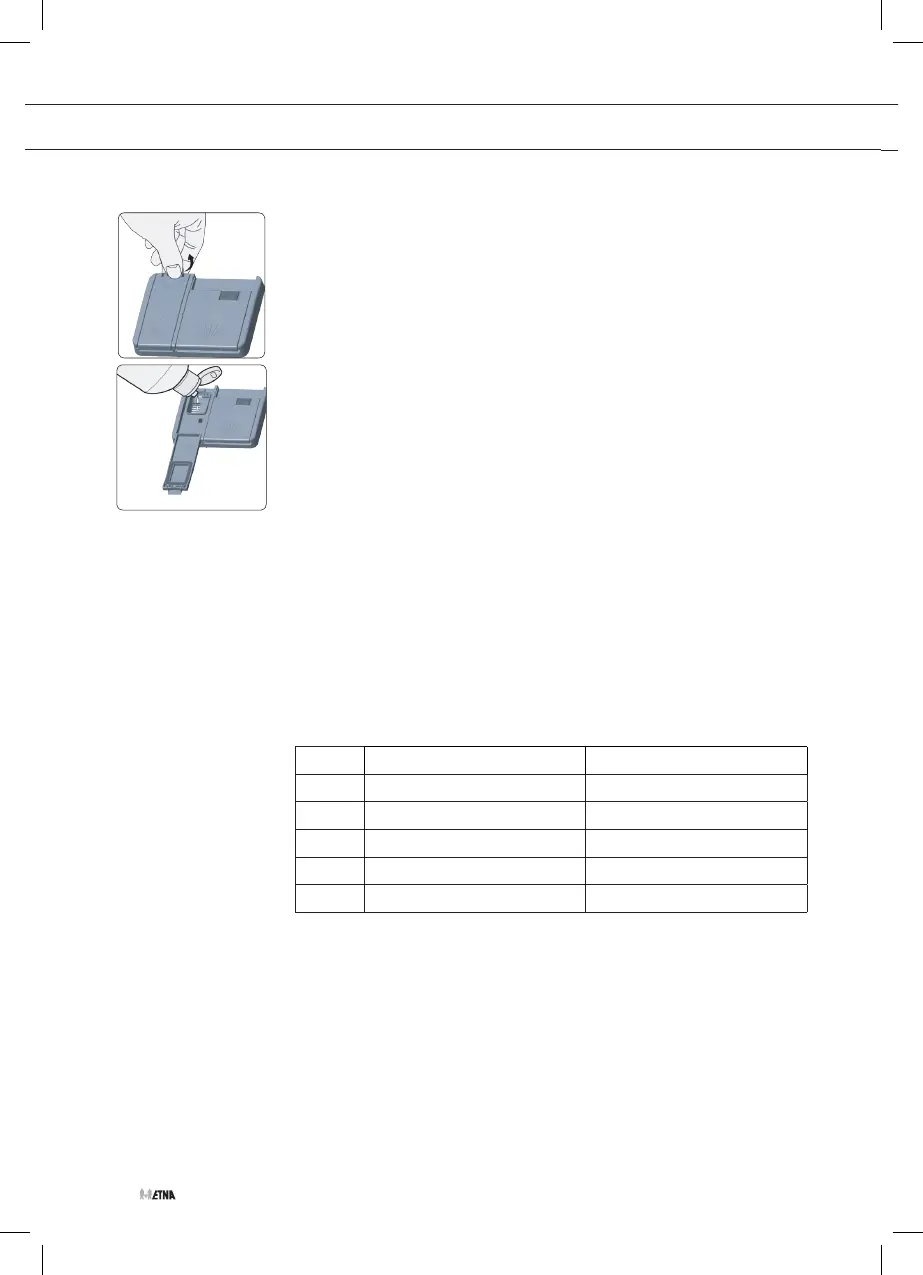
To fill the rinse aid compartment, open the rinse-aid compartment cap.
Fill the compartment with rinse aid to the MAX level and then close the
cap.
Be careful not to overfill the rinse aid compartment and wipe up any
spills.
In order to change the rinse aid level, follow the below steps
before turning on the machine:
1. Turn on the machine.
2. Push the programme button and hold it down until all leds blink
twice.
▷ The rinse aid setting follows the water hardness setting.
▷ The machine will display the current setting.
3. Set the level by pushing the programme button.
4. Switch off the machine to save the setting.
The factory setting is “3”.
• If the dishes are not drying properly or are spotted, increase the
level.
• If blue stains form on your dishes, decrease the level.
Level
Brightener Dose Indicator
1
Rinse-aid not dispensed P1-9h LEDs are on
2
1 dose is dispensed P2-9h LEDs are on
3
2 doses are dispensed 1/2-9h LEDs are on
4
3 doses dispensed 3h-9h LEDs are on
5
4 doses dispensed 6h-9h LEDs are on


 To Next Page