6. Wait till the upgrade is done, and the projection will restart automatically.
⚠
Note
Do not disconnect the power cord from the projector while the firmware is updating.
If the power is disconnected, the projector may not start correctly.
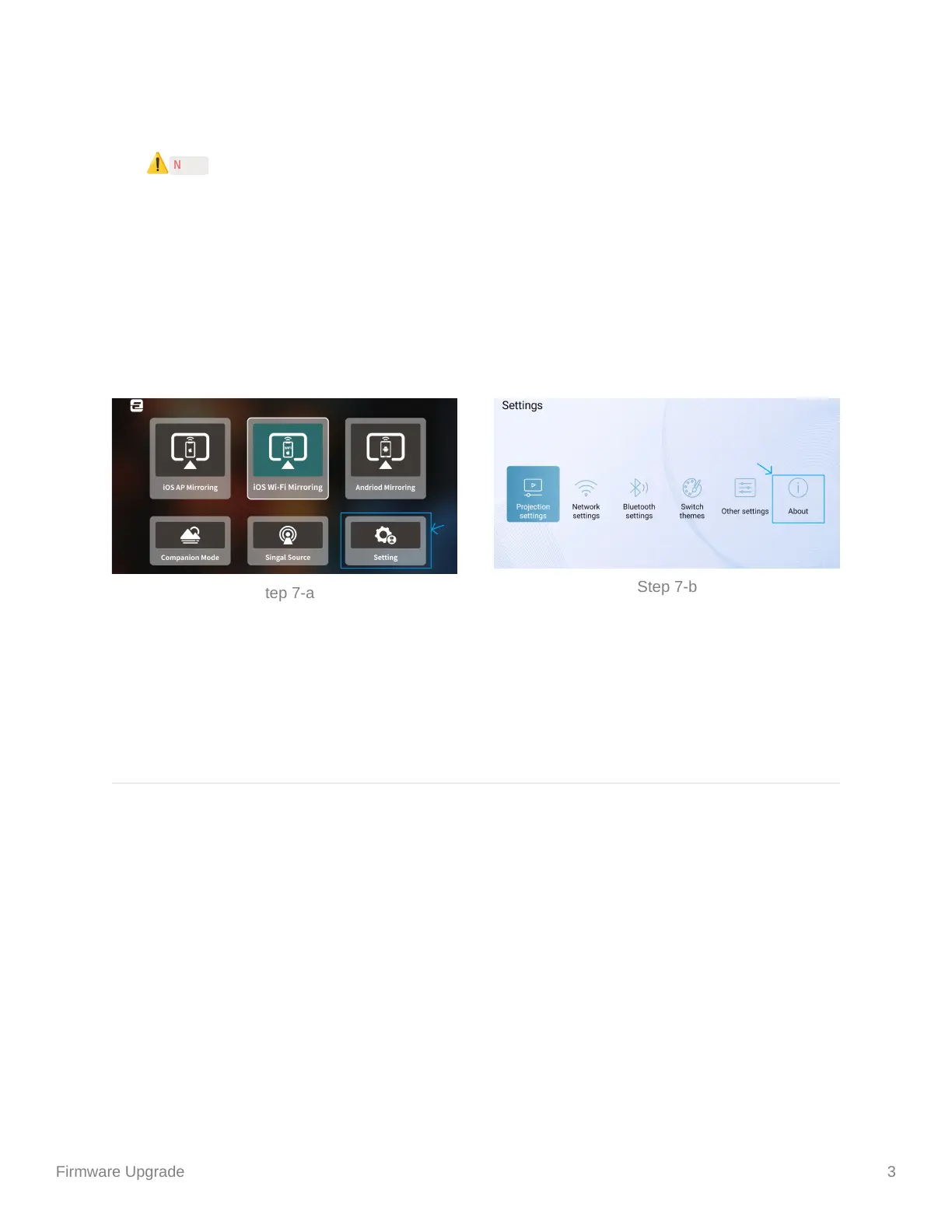
7. Check the result of the update.
a. Click on the menu of the projector with the remote;
b. Click on “Setting”, and then choose “About”;
c. Make sure that the number that shown on “System Version” has been
upgraded to the newest version.
Copyright @ETOE Product Model: A1171
Step 7-a
Step 7-b


 To Previous Page