SOLARLINK FR360 OWNER’S MANUAL
4
The FR360 plays AM (520-1710 KHz), FM (87.5-108 MHz) and 7
NOAA Weather Channels:
Channel 1 162.400 MHz
Channel 2 162.425 MHz
Channel 3 162.450 MHz
Channel 4 162.475 MHz
Channel 5 162.500 MHz
Channel 6 162.525 MHz
Channel 7 162.550 MHz
For best results read the instructions below.
VOLUME CONTROL
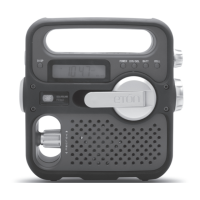
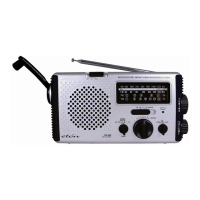
Turning the Volume Adjusting Knob (located on the lower left)
clockwise turns up the volume; counterclockwise turns down the
volume. Always turn down the volume before using earphones.
TURNING THE FR360 ON/OFF
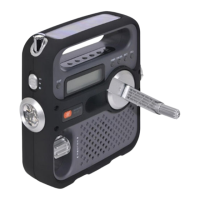
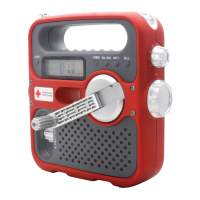
The FR360 is powered with 3 AAA batteries, the Dynamo and
Solar cell (DYN/SOL) and the AC adapter (not included).
To turn the radio on, select DYN/SOL or BATT (upper right, next
to the LCD) and then press POWER.
Note: the radio can be played while it’s charging.
BATTERY POWER
Install 3 AAA batteries and set the power selector switch to the
BATT position.
SOLAR POWER
When you’re in direct sunlight set the power switch to the DYN/
SOLAR position.This position also recharges the Ni-MH recharge-
able battery.
DYNAMO POWER
The rechargeable Ni-MH (nickel-metal-hydride) battery is in the
battery compartment. To use it plug the battery into the socket


 To Next Page