Mounting Instructions MODEL 3116 DOUBLE-RIDGED WAVEGUIDE HORN
2 © EMC TEST SYSTEMS, L.P. – MARCH 2002
REV E – PN 399040
MOUNTING INSTRUCTIONS
The Model 3116 can easily be mounted on a variety of
tripods including the ETS-Lindgren Model 4-TR.
The Model 3116 consists of the following:
1 ea Double Ridged Waveguide Horn
1 ea Mounting Bracket drilled to accept ETS-Lindgren or
other tripod mount with ¼-20 threads
2 ea Thumb screws for attaching the horn to the mounting
bracket
NOTE When removing the Model 3116 from its mounting
bracket, take care to ensure that the antenna is supported
while removing the thumbscrews. Failure to support the
antenna when removing the thumbscrews could result in
damage to the antenna.
Step 1. Before the antenna is mounted on a tripod the user will
need to unscrew the thumbscrews and separate the antenna
from the mounting bracket and set it to the side.
Step 2. To mount the antenna on the tripod, attach the mounting
bracket to the tripod with the ¼-20 bolt. To attach the
antenna to the mounting bracket, with the connector facing
downward and while holding
the antenna with one hand,
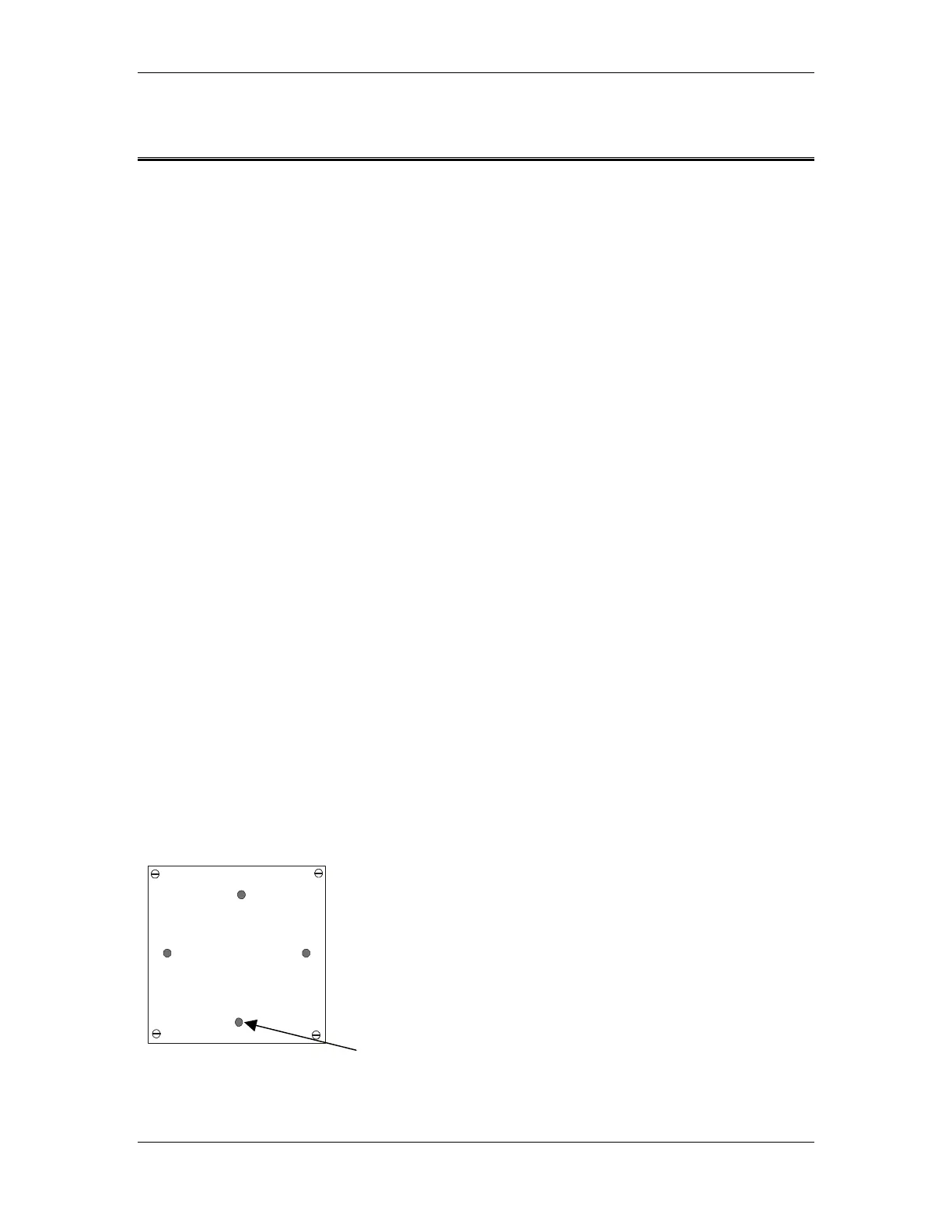
line up the holes on the back
of the horn with the holes on
the bracket and insert and
tighten both thumbscrews.
Back Plate of Model 3116 Thumbscrew Holes


 To Next Page