EasyManua.ls Logo

eufy Security T8960 - User Manual

eufy Security T8960
11 pages
Print Icon
To Next Page IconTo Next Page
Loading...
Anker Innovations Limited. All rights reserved.
eufy Security and eufy
Security Logo
are trademarks of Anker Innovations Limited, registered in the
United States and other countries. All other trademarks are the property of
their respective owners.
Model: T8960 FCC ID:2AOKB-T8960 IC:23451-T8960
51005002022 V01
User Manual
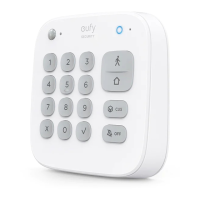
Keypad
1
2
3
4
5
6
7
8
9
X
0
CUS
OFF

Questions and Answers

Summary

Whats Included

Keypad Components

Lists all items included with the eufy Security Keypad for installation and use.

Product Overview

Keypad Identification

Identifies and explains the numbered parts of the eufy Security Keypad.

Adding the Keypad to the System

Mounting Your Keypad

Adhesive Mounting

Instructions for mounting the keypad using adhesive strips.

Screw Mounting

Instructions for mounting the keypad using provided screws and bracket.

Using the Keypad

Keypad Mode Introduction

Explains the four modes (Away, Home, Customized, Disarmed) and their functions.

Arming, Disarming, and Alarm Handling

Details how to arm, disarm the system, and turn off an alarm using the keypad.

Keypad Customization and Features

Customized Security Mode Setup

Steps to set up a custom security mode via the eufy Security app.

Device Bypass and Panic Alarm

Explains how to bypass devices and trigger the panic alarm for emergencies.

Operating on the eufy Security App

Keypad Settings Configuration

How to configure security modes, access codes, and device names in the app.

Access Code Management

Assigning and managing access codes for users and guests.

Charging and Resetting

Charging Your Keypad

How to identify low battery and charge the keypad.

Keypad Reset Procedure

Instructions on how to reset the keypad using a pointed object.

Technical Information and Support

Specifications

Details Wi-Fi frequency, cell capacity, input, and temperature ranges.

Troubleshooting

Solutions for the keypad blinking red, indicating disconnection from HomeBase.

OTA Update

Information on automatic and manual OTA firmware updates.

Notices and Compliance

FCC Compliance Statements

FCC rules, warnings, and RF exposure information for the device.

European Community Compliance

Declaration of Conformity and environmental disposal guidelines for EU.

IC Compliance

Industry Canada compliance, RF exposure, and device information.

Customer Service and Warranty

Warranty Information

Details the 12-month limited warranty for the product.

Contact and Support

Provides phone numbers, email, and social media for customer support.

Summary

Whats Included

Keypad Components

Lists all items included with the eufy Security Keypad for installation and use.

Product Overview

Keypad Identification

Identifies and explains the numbered parts of the eufy Security Keypad.

Adding the Keypad to the System

Mounting Your Keypad

Adhesive Mounting

Instructions for mounting the keypad using adhesive strips.

Screw Mounting

Instructions for mounting the keypad using provided screws and bracket.

Using the Keypad

Keypad Mode Introduction

Explains the four modes (Away, Home, Customized, Disarmed) and their functions.

Arming, Disarming, and Alarm Handling

Details how to arm, disarm the system, and turn off an alarm using the keypad.

Keypad Customization and Features

Customized Security Mode Setup

Steps to set up a custom security mode via the eufy Security app.

Device Bypass and Panic Alarm

Explains how to bypass devices and trigger the panic alarm for emergencies.

Operating on the eufy Security App

Keypad Settings Configuration

How to configure security modes, access codes, and device names in the app.

Access Code Management

Assigning and managing access codes for users and guests.

Charging and Resetting

Charging Your Keypad

How to identify low battery and charge the keypad.

Keypad Reset Procedure

Instructions on how to reset the keypad using a pointed object.

Technical Information and Support

Specifications

Details Wi-Fi frequency, cell capacity, input, and temperature ranges.

Troubleshooting

Solutions for the keypad blinking red, indicating disconnection from HomeBase.

OTA Update

Information on automatic and manual OTA firmware updates.

Notices and Compliance

FCC Compliance Statements

FCC rules, warnings, and RF exposure information for the device.

European Community Compliance

Declaration of Conformity and environmental disposal guidelines for EU.

IC Compliance

Industry Canada compliance, RF exposure, and device information.

Customer Service and Warranty

Warranty Information

Details the 12-month limited warranty for the product.

Contact and Support

Provides phone numbers, email, and social media for customer support.

eufy Security T8960 Specifications

General IconGeneral
ModelT8960
TypeKeypad
Power SourceBattery
ConnectivityWi-Fi
Compatibilityeufy Security systems
