2. Overview
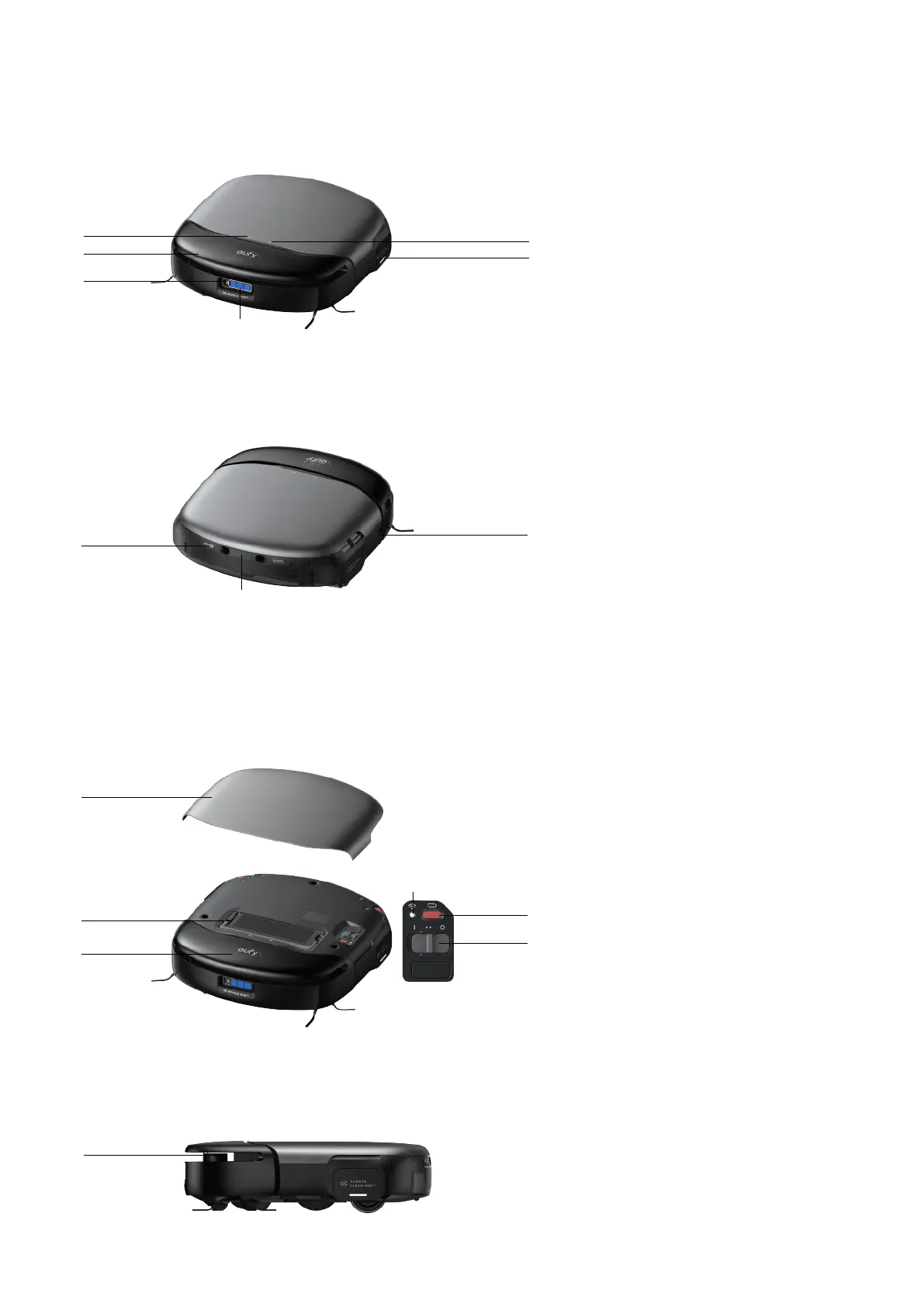
Exterior
❶
❷
❸
❻
❺
❹
❶
3D MATRIX EYE™ Sensor
❷
TrueAI Sensor
❸
Bumper
❹
Recharge Button
• Press to pause cleaning, then press
again to return Robot to the station
❺
Start / Pause Button
• Press to start / pause cleaning
❻
Mop Indicator Light
❶
❷
❸
❶
Recharge Sensors (×2)
❷
Charging Contact Pins (×2)
❸
Wall-Following Sensor
Interior
❹
❺
❻
❶
❷
❸
❶
Light Ring Indicator
❷
Dust Bin
❸
Magnetic Cover
❹
Wi-Fi LED Indicator
• Flashing slowly: Wi-Fi disconnected or
waiting for connection
• Flashing quickly: Wi-Fi connecting
• Steady on: Wi-Fi connected
❺
Reset Button
• Reset Wi-Fi connection: After pressing
once, you'll hear a voice prompt "Wi-Fi
has been reset", and the indicator light
will flash slowly
• Restore factory settings: Press and hold
for 5 seconds until you hear the voice
prompt, then the Robot will restore
factory settings
❻
Power Switch
• “I” indicates the Robot is on
• “O” indicates the Robot is o
❶
❶
dToF LiDAR



 To Next Page