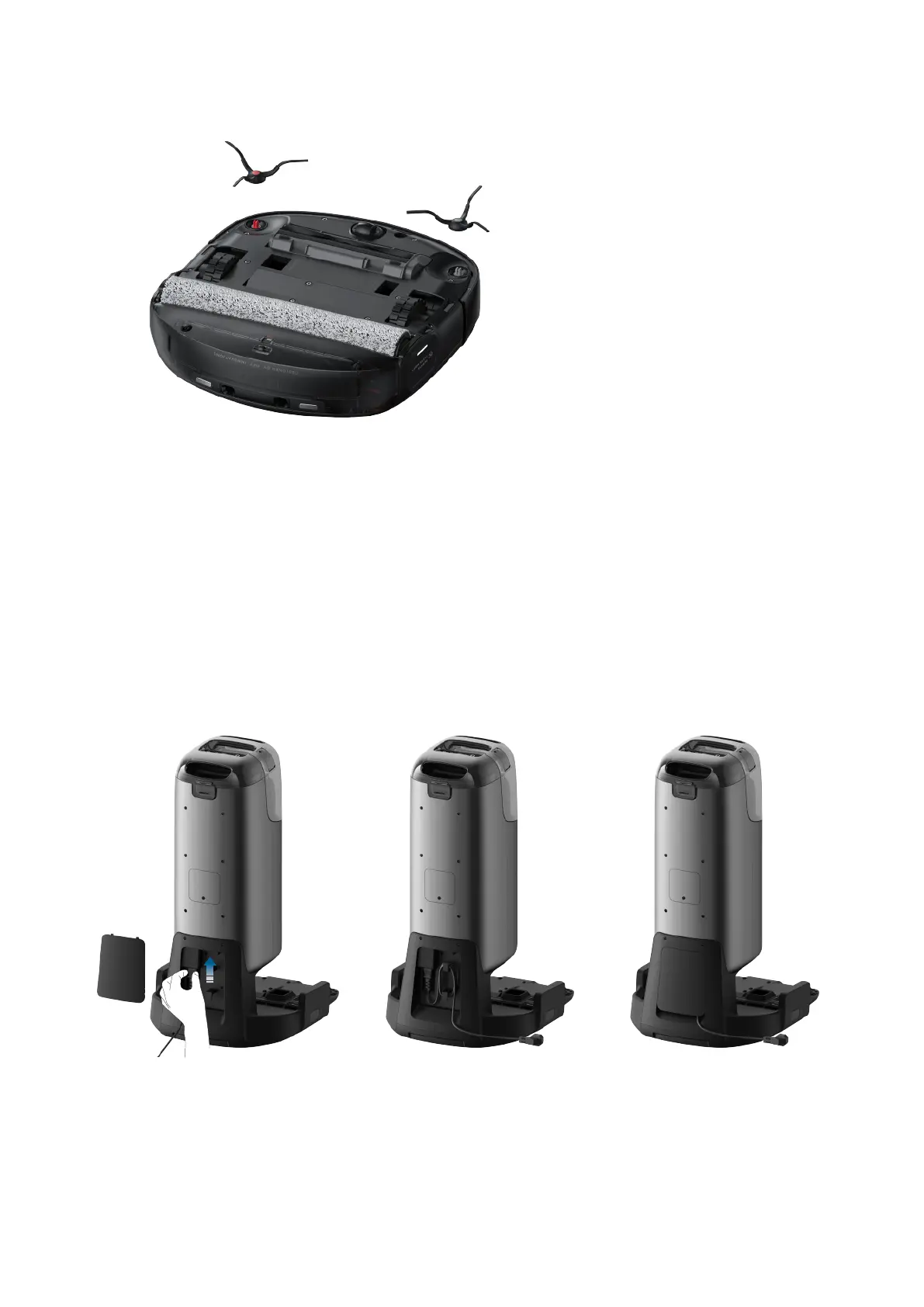
3.2 Install Side Brushes
Make sure the brushes marked 1 (red) and 2 (gray) are correctly installed based on the diagram below. You will hear
a "click" when the side brushes are in place.
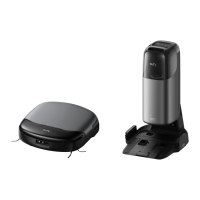
3.3 Connect to Power Supply
Remove the cord cover and firmly insert the power cord as shown in the diagram. Tuck any excess cable into the
winding groove, then reinstall the cover.
Once the base station is connected to power, the LCD screen will light up.



 To Next Page