Need help?
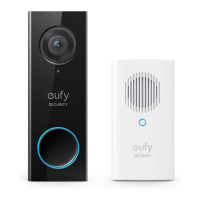
Do you have a question about the EUFY T8740 and is the answer not in the manual?
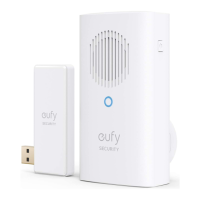
Attaching the Power Connector to the Doorbell Chime by aligning slots and rotating.
Plugging the Doorbell Chime into an AC power supply at the desired location.
Plugging the USB dongle into the USB port on the back of the HomeBase 2.
Pressing the lock button and twisting the Power Connector counterclockwise to detach it.
Installing a new Power Connector by following the initial attachment procedure.
Statement of compliance with EU essential requirements and relevant provisions of Directive 2014/53/EU.
Information on safe operating temperatures and RF exposure compliance at 20cm distance.
Details of the responsible EU importer, Anker Technology (UK) Ltd.
Symbol indicating proper disposal and recycling of the product as household waste.
Evaluation of the device for general RF exposure requirements and minimum separation distance.
Device compliance with Industry Canada licence-exempt RSS standard and operating conditions.
Details on the 12-month limited warranty period for the product.
Phone numbers and operating hours for customer support in different regions.
Email address for customer support inquiries.
Links to official social media channels for customer engagement.
 General
| Product Type | Smart Lock |
|---|---|
| Brand | Eufy |
| Model | T8740 |
| Category | Accessories |
| Connectivity | Bluetooth, Wi-Fi |
| Compatibility | iOS, Android |
| Wireless Range | Up to 80m / 262ft (open area) |
| Battery Life | Up to 1 year |

 To Next Page