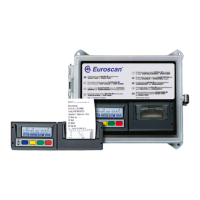
EUROSCAN RX2-6 / TX2-6
USER MANUAL
TABLE OF CONTENTS
INTRODUCTION ....................................................................................................... 4
Data security ..................................................................................................................................... 4
Menu 1 Print menu ...................................................................................... 6
1.1 Select compartment to print .......................................................................................... 6
1.2 Time zone offset for printing ......................................................................................... 6
1.3 Print event report .......................................................................................................... 6
1.4 Print parameter report .................................................................................................. 6
1.5 Set print date ................................................................................................................ 6
1.6 Delivery ticket settings .................................................................................................. 6
1.7 Print time period ........................................................................................................... 7
1.8 Day start time ............................................................................................................... 7
1.9 Day end time ................................................................................................................ 7
Menu 2 Alarm settings ............................................................................... 8
2.1 Compartment 1 ............................................................................................................. 8
2.2 Compartment 2 (same as Compartment 1) ................................................................... 8
2.3 Compartment 3 (same as Compartment 1) ................................................................... 8
2.4 Compartment 4 (same as Compartment 1) ................................................................... 8
2.5 Digital input 1 ................................................................................................................ 8
2.6 Digital input 2 (same as Digital input 1) ......................................................................... 8
2.7 Digital input 3 (same as Digital input 1) ......................................................................... 8
2.8 Digital input 4 (same as Digital input 1) ......................................................................... 8
2.9 Alarm output test .......................................................................................................... 8
Menu 3 User settings menu ....................................................................... 9
3.1 Set time ........................................................................................................................ 9
3.2 Summer/Winter time correction .................................................................................... 9
3.3 Set date ........................................................................................................................ 9
3.4 Select language ............................................................................................................ 9
3.5 Set display contrast ...................................................................................................... 9
3.6 Set display backlight ..................................................................................................... 9
3.7 Set buzzer volume ...................................................................................................... 10
3.8 Set buzzer frequency .................................................................................................. 10
3.9 Set buzzer on-time ..................................................................................................... 10
3.x TMS X2 V2.08 ............................................................................................................ 10
Menu 4 Status menu ................................................................................. 11
4.x Parameter menu ......................................................................................................... 11
Menu 5 Temperature input settings ........................................................ 12
5.1 T1 input > On/Off ................................................................................................... 12
5.1.1 Type ........................................................................................................................... 12
5.1.2 Name (sensor) ............................................................................................................ 12
5.1.3 Name (free text) ......................................................................................................... 12
5.2 T2 input > on/off, menu structure as 5.1 ................................................................ 12
5.3 T3 input > on/off, menu structure as 5.1 ................................................................ 12


 To Next Page