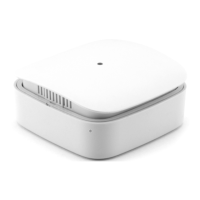
The Eurotronic Temperature & Humidity Sensor Z-Wave Plus is a compact, battery-operated device designed for monitoring ambient temperature and humidity in residential and commercial spaces. It integrates seamlessly into Z-Wave wireless networks, providing essential environmental data to a central controller. This sensor is particularly useful for applications such as climate control, heating regulation, and even as a mold detector by evaluating the dew point.
Function Description
The primary function of the Temperature & Humidity Sensor Z-Wave Plus is to accurately measure and report temperature and humidity levels. Utilizing high-precision Swiss sensor technology, it provides reliable data in Celsius or Fahrenheit for temperature and percentage for humidity. Beyond these direct measurements, the sensor can also calculate and report the dew point, which is crucial for identifying conditions that could lead to mold growth.
As a Z-Wave Plus device, it supports secure communication (S2 security), ensuring that the data transmitted within the network is protected. It operates as a sleeping device to conserve battery life, waking up periodically to send updates and receive commands from the Z-Wave controller. A static controller is recommended for optimal performance, as it can maintain a mailbox for the sensor's commands during its deep sleep state, preventing communication loss and extending battery life. The sensor announces its wakeup state by sending a Wakeup Notification, allowing the controller to retrieve any pending commands.
Usage Features
The sensor is designed for straightforward operation and integration into an existing Z-Wave network.
- Inclusion/Exclusion: To add the sensor to a Z-Wave network (inclusion), the user initiates inclusion mode on their primary Z-Wave controller and then presses the sensor's network button three times within one second. A blinking green LED indicates active inclusion, turning solid green for 5 seconds upon successful inclusion. If inclusion fails, a red LED lights up for 5 seconds. The process for removing the sensor from a network (exclusion) is similar, requiring the controller to be in exclusion mode.
- Wake-Up Functionality: To manually wake up the device and send a Wake Up Notification to the Z-Wave Controller, the network button can be pressed once. This allows for immediate communication with the controller outside of the regular wakeup interval.
- Configuration: The sensor's reporting behavior can be configured through the Z-Wave network. Users can set thresholds for temperature and humidity changes that trigger a report. For instance, the temperature reporting can be configured to send an update only when the temperature changes by a specified delta (e.g., 0.5°C). Similarly, humidity reporting can be set to trigger on a percentage change (e.g., 5%). The unit of temperature (Celsius or Fahrenheit) and the resolution of both temperature and humidity readings can also be adjusted. The wakeup interval, which dictates how often the sensor communicates with the controller, is configurable in 2-minute steps, with a default of 60 minutes, and a range from 10 minutes to 24 hours.
- Association Groups: The sensor supports association groups, allowing it to directly control other Z-Wave devices or send reports to specific nodes without needing to route through the central controller. The "Lifeline" group (Group 1) is crucial for device status reports, including local device reset notifications, battery reports, and multilevel sensor reports. A second group (Group 2) is dedicated to sending multilevel sensor reports, specifically temperature data, to associated devices.
- LED Indicators: A multicolor LED provides visual feedback on the device's status. A constantly red LED indicates a failed task, while a blinking green LED signifies that the device is ready for inclusion or exclusion. A solid green LED for 5 seconds confirms a successful task. A specific blinking pattern (2x red, 3x green) indicates a factory reset, and three red blinks signal insufficient battery.
- Mounting: The sensor is designed for wall mounting, ideally at a height of 1.50 m above the ground. It can be fastened using adhesive tape or screws (not included). Important considerations for mounting include avoiding exterior walls, areas near windows, doors, radiators, other heat sources, or direct sunlight to ensure accurate readings.
Maintenance Features
Maintaining the Eurotronic Temperature & Humidity Sensor Z-Wave Plus primarily involves battery management and cleaning.
- Battery Replacement: The device operates on 2x AAA (LR03) batteries. When the batteries are low, the LED will blink red three times, signaling that replacement is needed. To replace batteries, the device must be opened, the old batteries removed, and new ones inserted with correct polarity. It is crucial to use non-rechargeable batteries and never attempt to recharge them. Leaking batteries can damage the device, so care should be taken when handling them, and protective gloves are recommended if a leak occurs. If the device is not used for an extended period, the batteries should be removed.
- Factory Reset: In cases where the primary Z-Wave controller is missing or inoperable, the sensor can be factory reset. This is achieved by pressing and holding the network button for at least 10 seconds. The device will indicate the reset with a specific blinking pattern, returning it to its default settings and removing it from any Z-Wave network.
- Cleaning: The sensor should be cleaned with a soft, dry cloth. It is essential not to immerse the device in water or other liquids. Aggressive cleaning agents, brushes with metal or nylon bristles, or sharp/metallic objects should be avoided, as they can damage the device's surfaces.
- Troubleshooting: The manual provides basic troubleshooting steps for common issues, such as low battery (indicated by red LED blinking three times) and task failures (indicated by a constantly red LED for 5 seconds). Solutions include replacing batteries or ensuring the Z-Wave controller is within range and repeating the task.


 To Next Page
 General