EasyManua.ls Logo

eutto WFE360 - User Manual

eutto WFE360
8 pages
Print Icon
To Next Page IconTo Next Page
Loading...
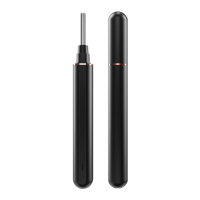
Professional Otoscope
User Manual

Questions and Answers

Summary

Quick Start Guide

App Download and WiFi Connection

Scan the QR code to download the app and connect to the product's WiFi network for operation.

Otoscope Setup and First Use

Learn how to power on the otoscope, attach earpicks, and start the ear inspection process.

Key Features: Real-time View, Screen Lock, Low Battery Alert

Understand real-time ear observation, screen lock for safety, and low battery notification.

Product Specifications

Product Size and Dimensions

Displays the physical size and dimensions of the otoscope device.

Technical Product Parameters

Lists key technical specifications including model, image transmitter, battery, and focal length.

Troubleshooting and Notes

Fault Analysis and Solutions

Provides solutions for common operational faults like startup issues, camera problems, and connectivity.

Important Usage and Safety Notes

Contains crucial safety warnings, usage guidelines, and product care instructions.

Regulatory Compliance

FCC Compliance Statement

Details FCC rules and conditions for device operation, including interference guidelines.

eutto WFE360 Specifications

General IconGeneral
Brandeutto
ModelWFE360
CategoryMedical Equipment
LanguageEnglish