EN
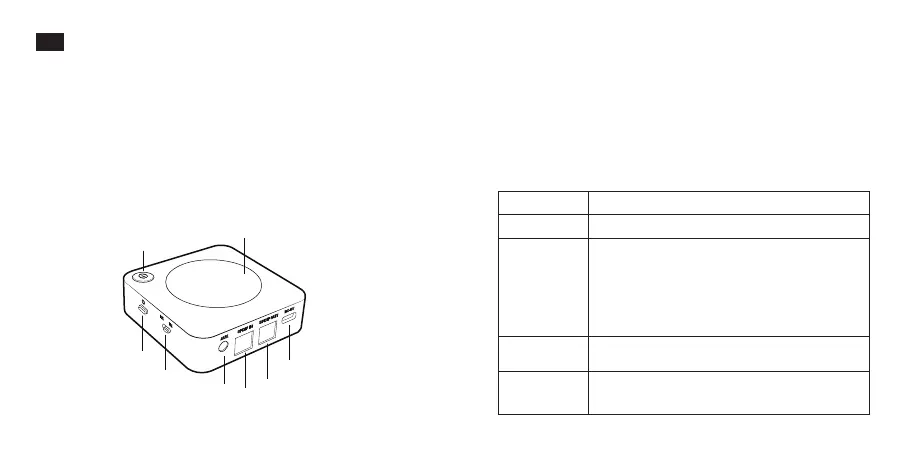
Product Diagram
01/02
1. Power Button
2. Indicators
3. Pairing Button
4. Transmitter (TX) / Receiver (RX) Mode Switch
5. Charging Port
6. Optical Audio Output Port (RX Mode)
7. Optical Audio Input Port (TX Mode)
8. 3.5mm Audio Port
• 1 x Wireless Adapter
• 1 x 3.5mm Audio Cable
• 1 x 3.5mm Female to RCA Male Cable
• 1 x USB Charging Cable
• 1 x Optical Cable
• 1 x User Manual
Package Contents
Control Functions
Power On/Off
Pairing
Mode Switch
Play / Pause
Hold the Power Button
· When powered on, press the Pairing Button
once to enter pairing mode
· Hold for 3s to disconnect the existing paired
Bluetooth device and enter pairing mode again
· Hold for 8s until the “TX” or “RX” indicator
flashes twice to clear the pairing history
Slide to select TX/RX mode
Press the Power Button once to play /
pause music
Function Operation
①
②
③
④
⑤
⑥
⑦
⑧


 To Next Page
 Loading...