First Steps
7
OPERATION
set optimally. To set the desired listening volume use the Volume control
on the Master loudspeaker. The LED ring indicates the volume setting. It
blinks when the input voltage is too high and overloads the AD converter.
3. OPERATION
3.1. First Steps
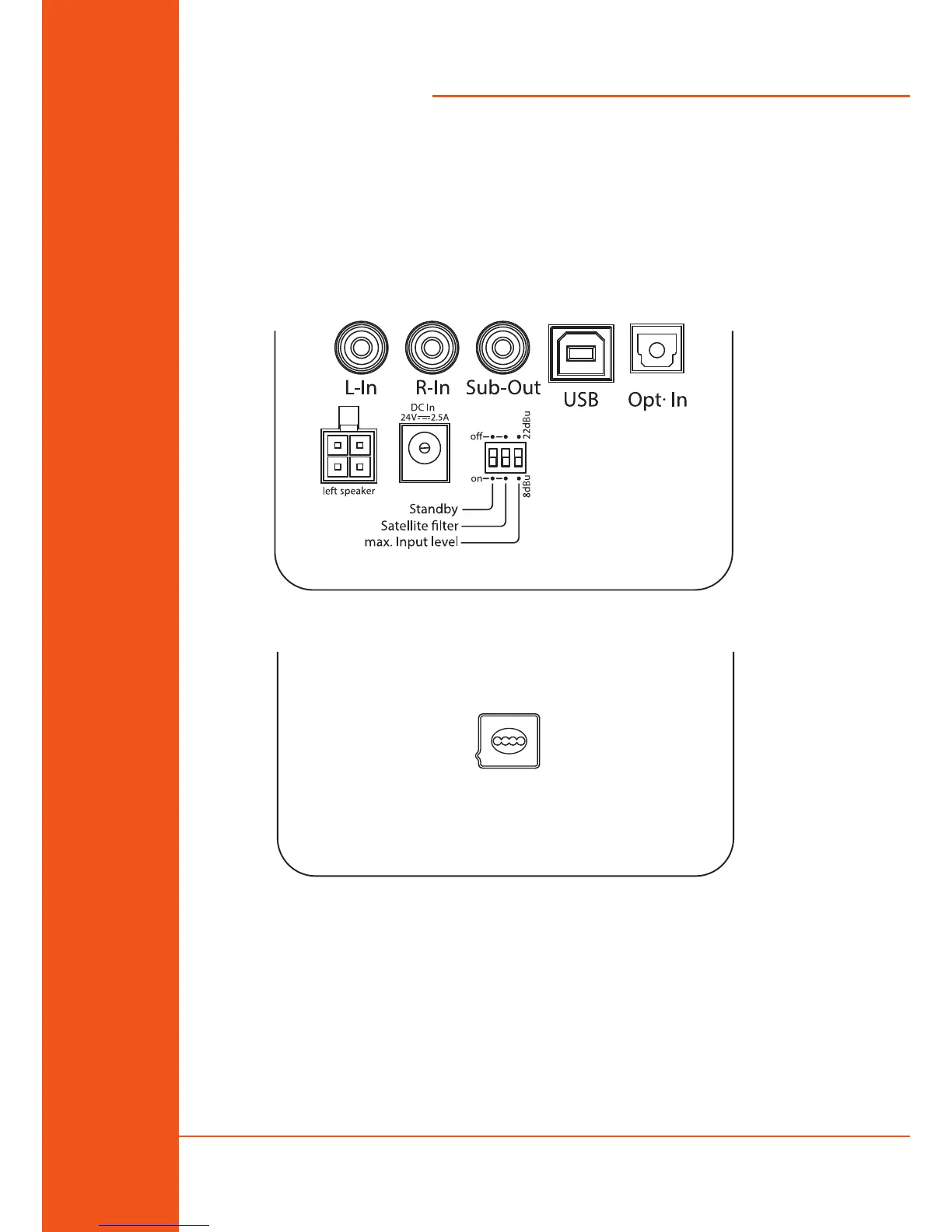
Master loudspeaker (right): Rear connections & DIP switches
Slave loudspeaker (left): Rear connector
Check the package components (Master & Slave loudspeakers, user’s
manual, two FlexiPads, external PSU, stereo link cable, USB cable, 1/8” TRS
audio cable).
Check the setting of the DIP Switches (Standby and Satellite lter: O
position; Max. Input Level: see “2.3. Powering On” on page 6).
Signal connections: three dierent input formats are available on the rear
side of the Master loudspeaker for dierent source signals.



 To Next Page