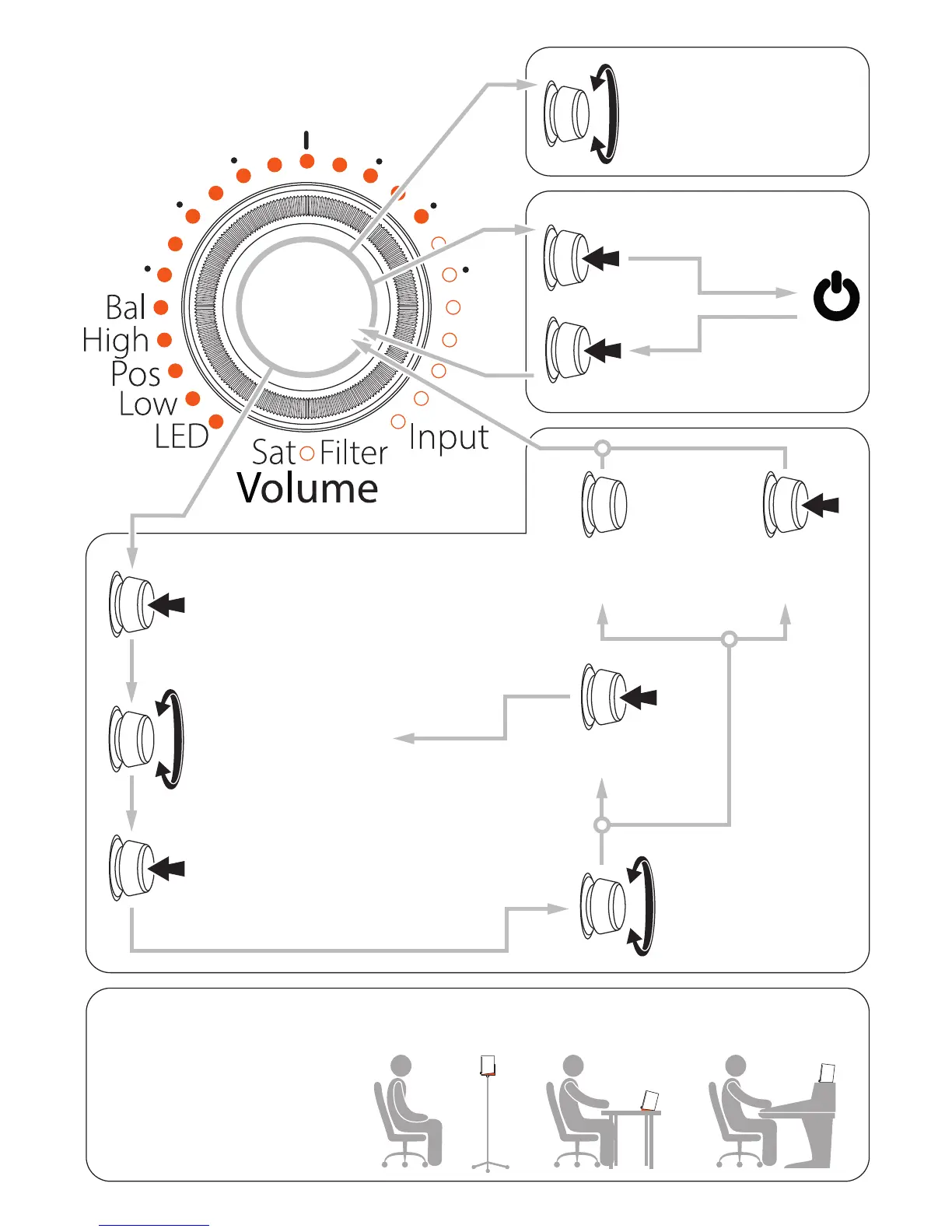
Standby
Push > Enter function menu (LED
mode, Low shelf, Position lter, High
shelf, Balance, Input selection)
Flashing LED > Current function
LEDs > Run counterclockwise
LEDs > Run clockwise
LEDs > Volume setting
Flashing LED > Selected function
LED stops ashing > Current function
2nd LED lights up > Current setting
2nd LED moves
accordingly > Shows
setting
Turn > Volume setting
VOLUME
STANDBY
FUNCTIONS
Turn > Select function: LED,
Low, Pos, High, Bal or Input
Turn > Edit function setting
Push > Enter selected function
Push > For further
adjustments
Push & hold
(3 sec.) > Back to
volume setting
Push & hold (3 sec.)
Push > Back to volume setting
No operation
(10 sec.) > Back to
volume setting
5.1
5.2
5.3
5.4
LISTENING POSITION
Select the Pos(ition) setting
depending on your listening
position:
Flat = LED #12 (stroke) is lighting
Desk = LED #13 is lighting
Console = LED #14 (4th dot) is lighting
Flat: Speakers on mic
stands, shelves, etc.
(w/ FlexiPads, 0°)
Desk: Speakers on a desk,
a table, etc.
(w/ FlexiPads, 15°)
Console: Speakers on meter
bridge, shelves, etc.
(w/o FlexiPads, 7.5°)
1.1. 10.2015 © EVE Audio. All rights reserved.


 To Previous Page
 Loading...