55
Event Action: Check this box to enable Buzzer, Alarm out, E-mail and Network actions selected elsewhere
when an event occurs during the selected time period.
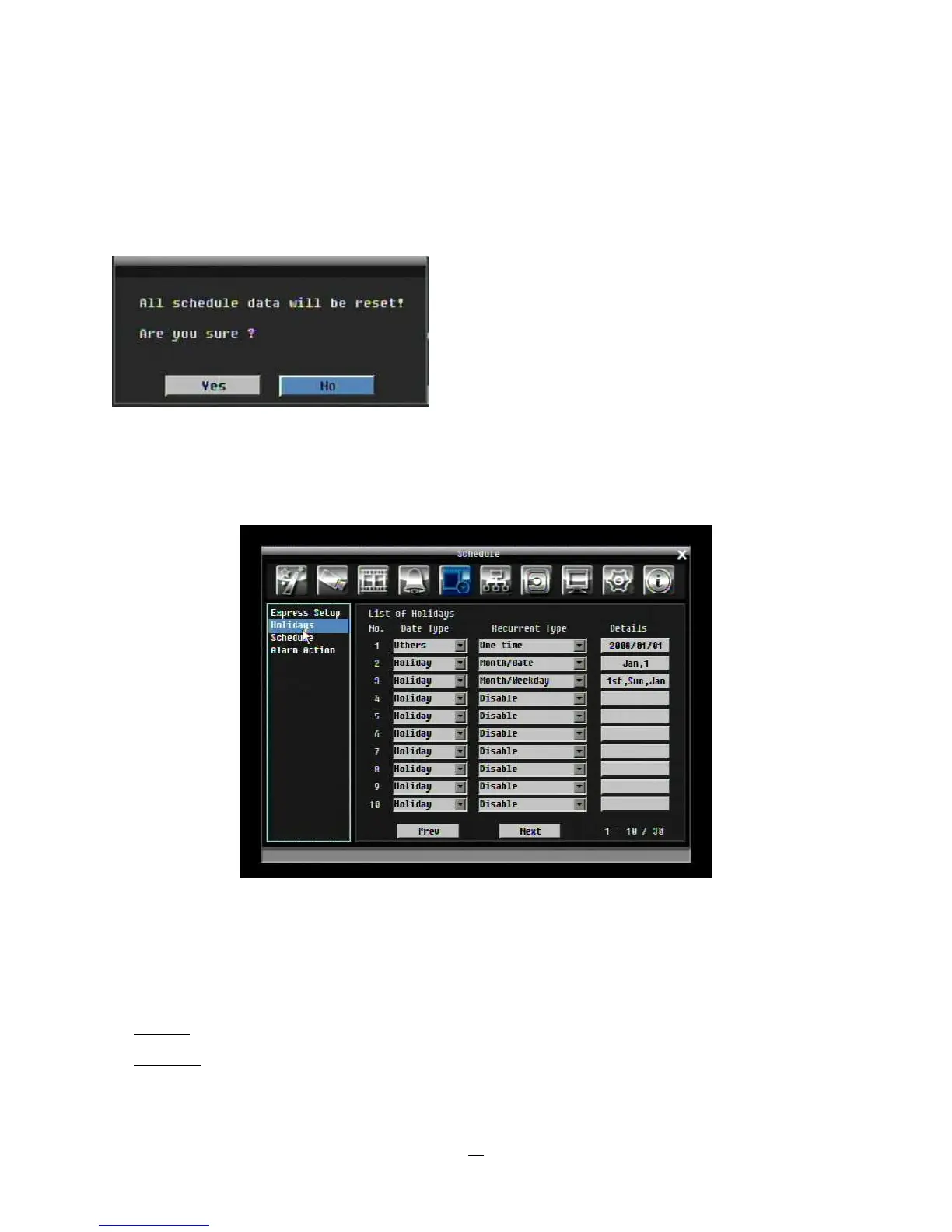
Apply: Press “Apply” button bring up a confirmation window. Select “Yes” to confirm and apply the express
schedule settings or “No” to cancel changes.
4.5.5 Holidays
In addition to setting a weekly record schedule, user can also schedule a specific recording configuration
for specific days of the year.
Figure 4-19 Schedule Menu-Holidays
Date Type: Select either Holiday or Others. (Holiday and Others are two different groups, you can assign
special days in these two groups)
Recurrent Type: Choose how often each scheduled day should be applied.
Disable: This entry is ignored.
One time: This entry is used only once, on that specific date.





 To Next Page