76
4.9.3 User
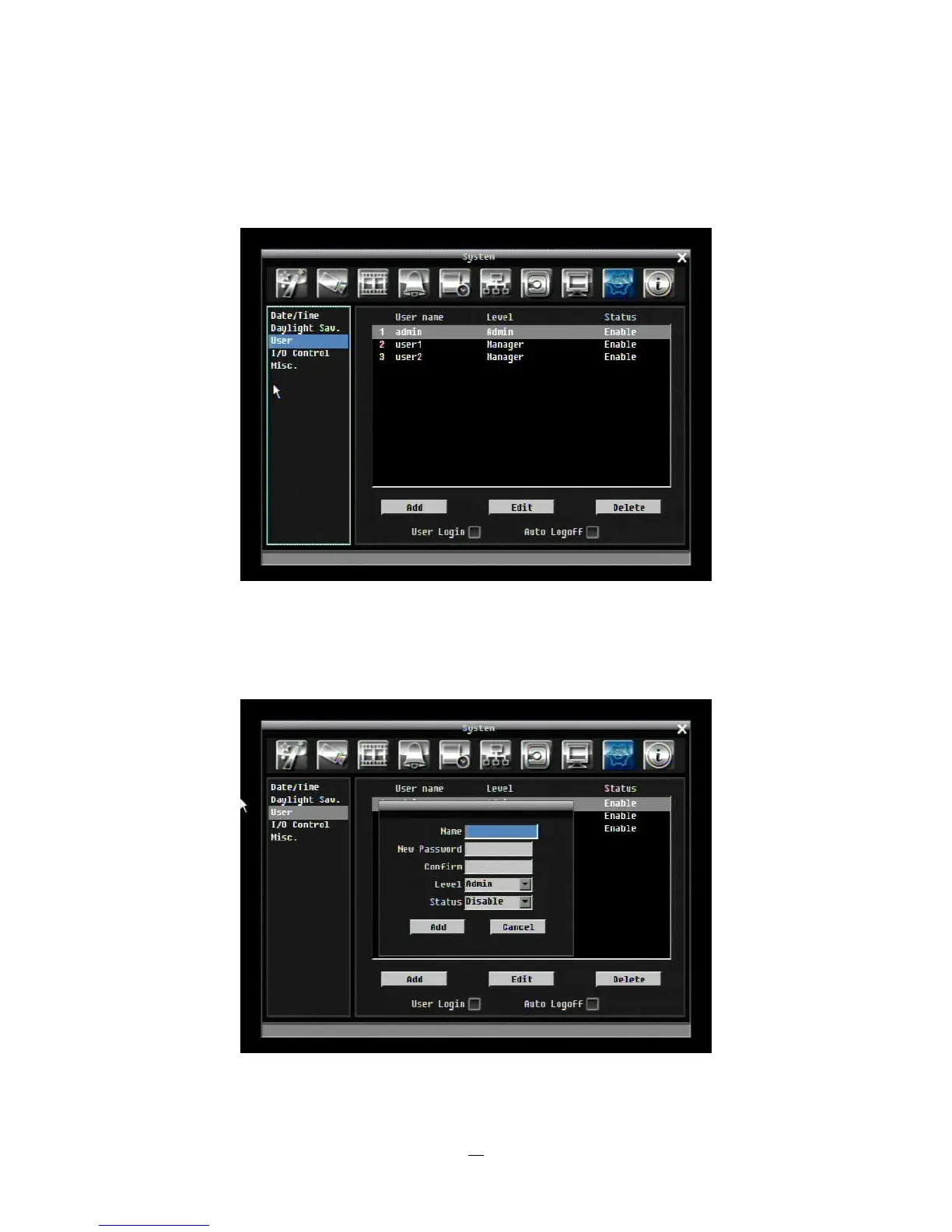
User Menu is where you can add or delete different login IDs on the system as well as set access levels.
See the chart on Page 80 for a listing of the rights associated with each access level.
Figure 4-32 System Menu – User
Add
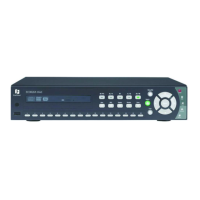
Click “Add” button to add a new user. Set the name (case-sensitive), password, and access level. Press
“Add” button to confirm a new user or “Cancel” to exit without making changes.
Figure 4-33 System Menu – User - Add




 To Next Page