EMD935F Outdoor Mobile IR Mini Ball Camera
9
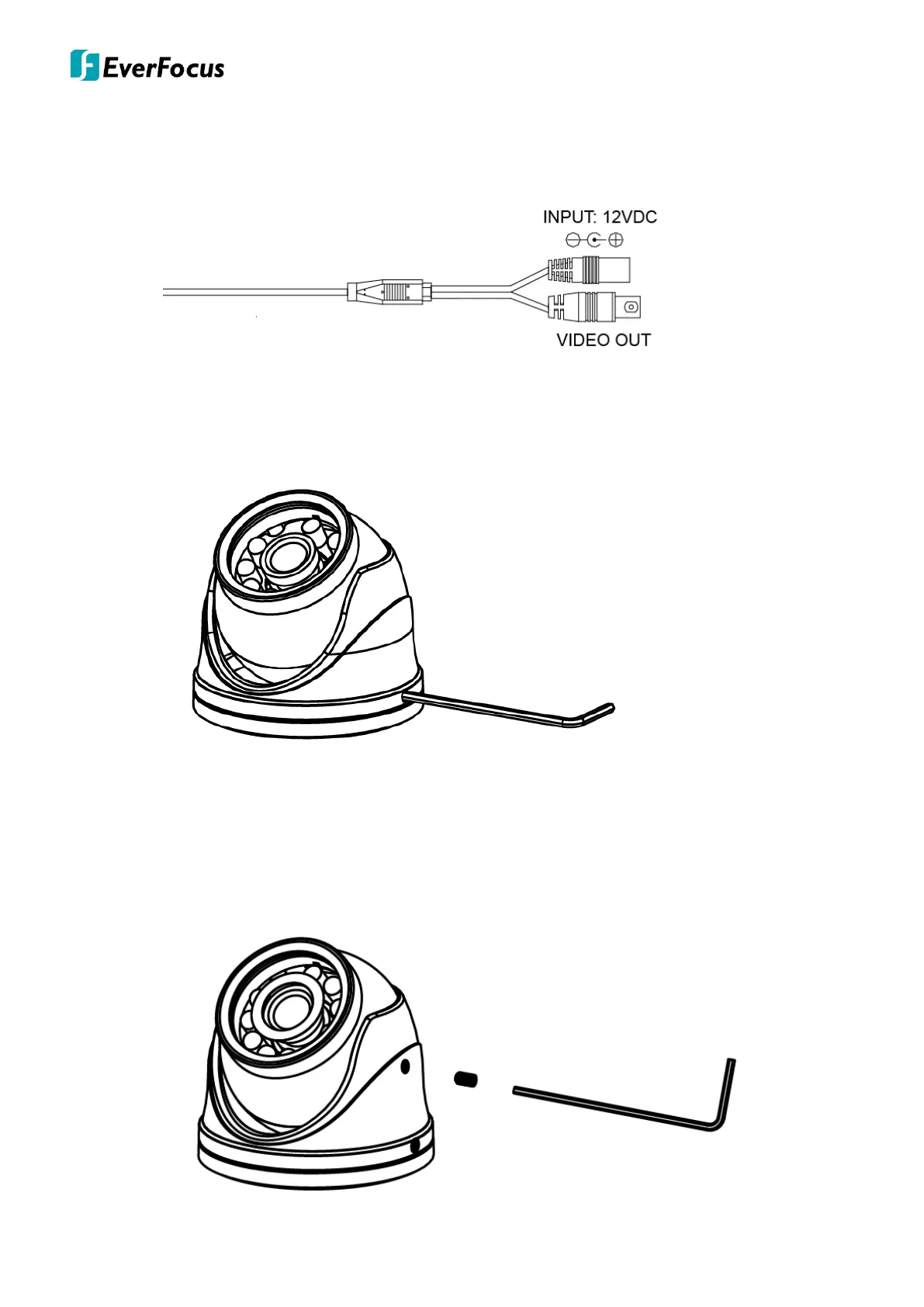
5. Connect the camera to the 12VDC power source using the supplied DC power pigtail cable
or power adapter, while connecting the video-out cable to the monitor.
6. After selected the desired angle, then tighten the two screws using the supplied hexagon
wrench , which close to base plate and one on each side of camera.
7. Fasten the upper holes using the supplied two set screws and hexagon wrench hole,
which close to camera lens and one on each side).
Noted: This is special designed for protecting the lens from shaking when the vehicle
running on the uneven road.



 To Next Page