9
ENGLISH
Display
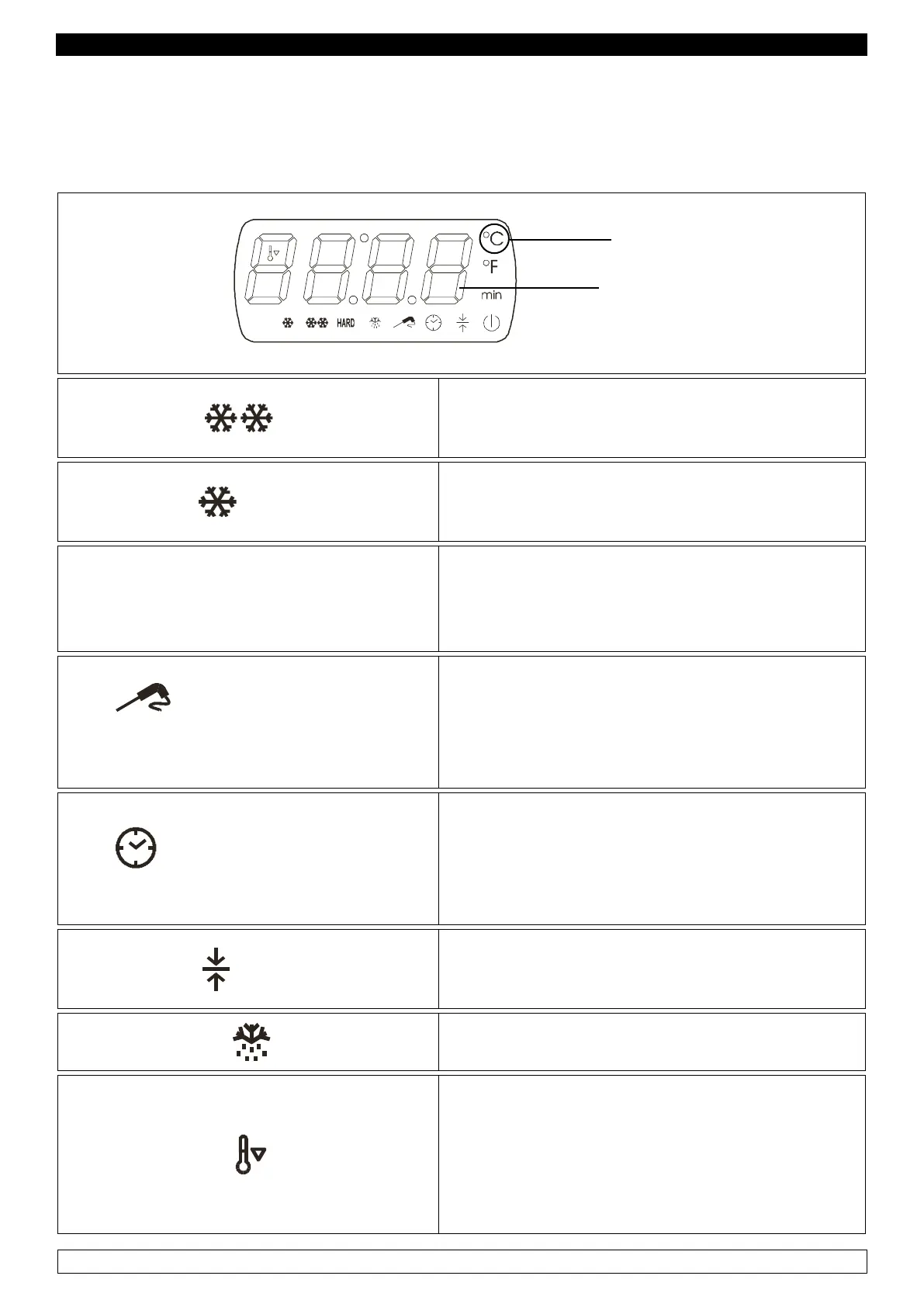
Visualization is carried out through a display where you can see four digits , once on, they turn blue,
and twelve icons. For ease of reference, from now on the four digits will be designed as “display”,
and each icon will be identified singularly.
DIGIT
ICONS
FREEZING Icon
► Flashes while selecting a freezing cycle
► Remains on during the freezing cycle
CHILLING Icon
► Flashes while selecting a chilling cycle
► Remains on during the chilling cycle
HARD Icon
HARD CHILLING / FREEZING
► Flashes while selecting a Hard chilling or freezing
cycle
► Remains on during the Hard chilling or freezing
cycle
Icons
TEMPERATURE-BASED CHILLING / TEM-
PERATURE-BASED FREEZING ICON
► Remains on while selecting:
- A chilling cycle with core probe
- A temperature-based freezing cycle
► Flashes during the test attesting that the core probe
has been correctly inserted
Icons
TIME CHILLING / TIME FREEZING ICON
► Remains on:
- While selecting a time chilling cycle
- While selecting a time freezing cycle
STORAGE Icon
► Remains on during a storage cycle
► Flashes when displaying the room’s temperature
DEFROSTING Icon
► Remains on while defrosting is being carried out
PRECOOLING Icon
► Remains on while precooling is being carried out,
and the room’s temperature has reached the pre-set
parameters
► Flashes when precooling is being carried out, and
the room’s temperature has not reached the pre-set
parameters


 To Next Page