11
Eversense E3 CGM Quick Reference Guide
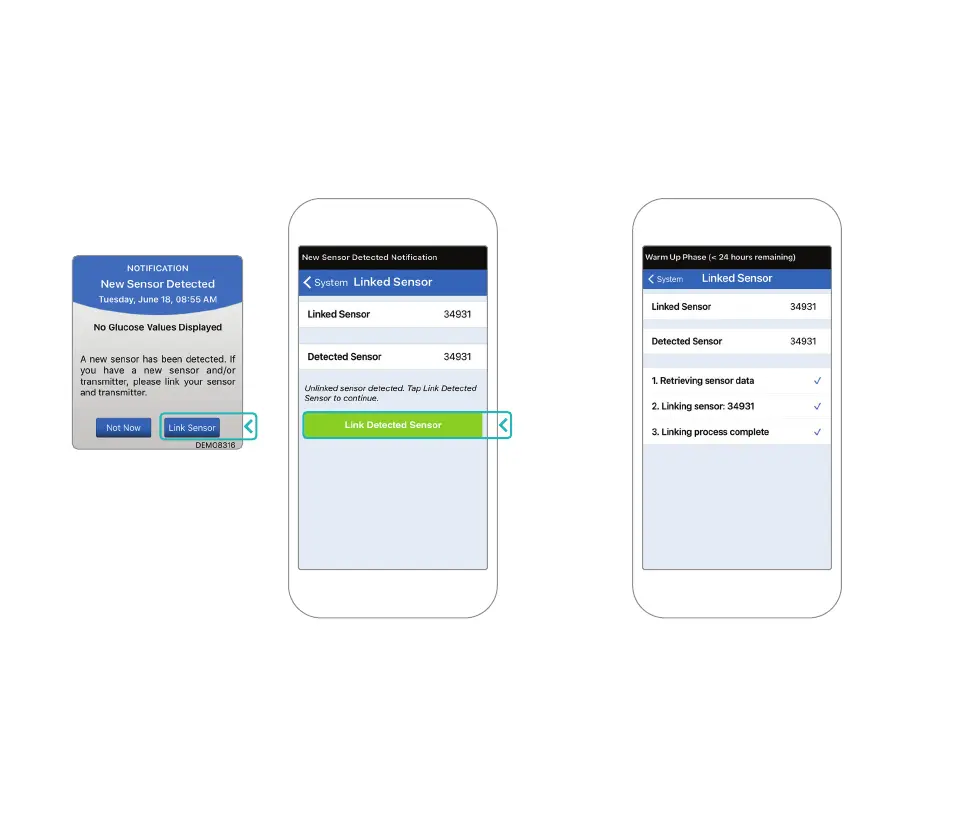
2. Tap Link Sensor and then Link Detected
Sensor. DO NOT remove the smart
transmitter from your insertion site until the
third check mark is displayed.
3. When the smart transmitter and
sensor are successfully linked, the
LINKED SENSOR screen displays
the sensor ID number.



 To Next Page