22
Eversense E3 CGM Quick Reference Guide
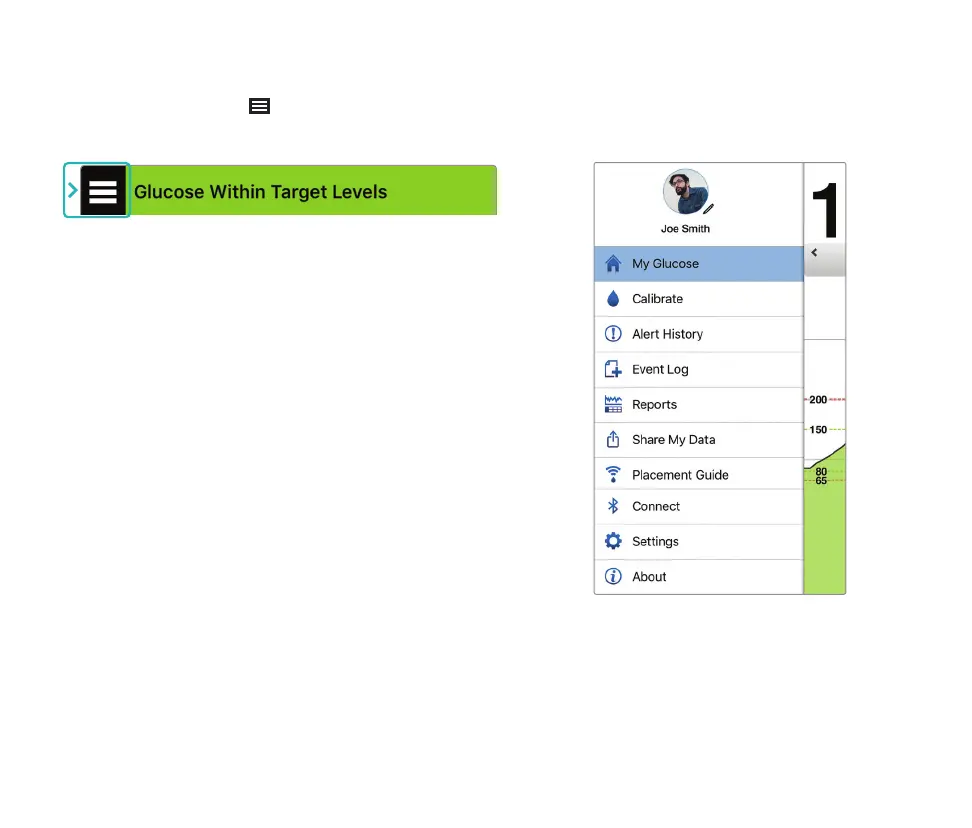
• My Glucose
• Calibrate
• Alert History
• Event Log
• Reports
• Share My Data
• Placement Guide
• Connect
• Settings
• About
Alerts
• BOTH your mobile device and smart transmitter provide alerts to notify you when your
CGM readings have reached certain alert settings or if your CGM System requires attention.
• See the User Guide for a complete listing of alerts on your app.
Menu Icon
Tap the MENU icon ( ) on the top left of any screen
to navigate to any of the available menu options:
Main Menu



 To Next Page