Page 12
HIGH FIDELITY MUSIC STREAMER
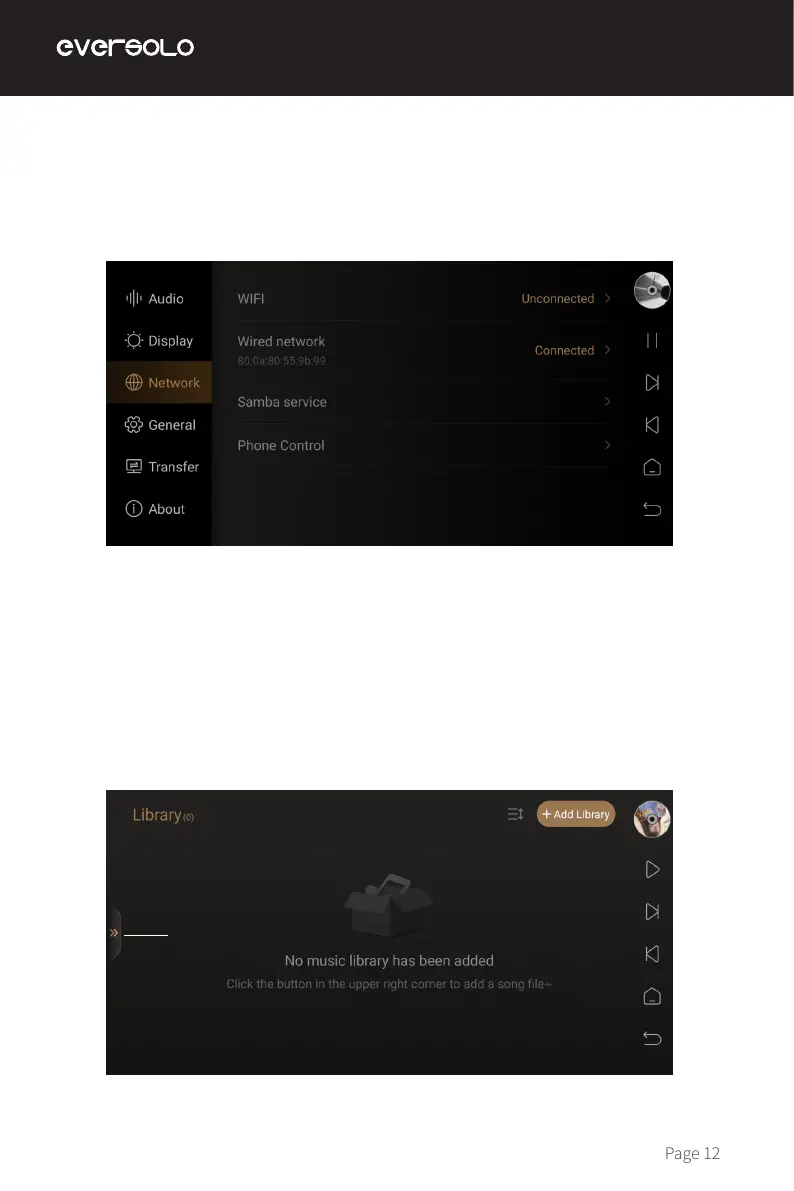
Make sure to connect the network for DMP-A6, both Ethernet and WiFi are supported. Access
into “Settings > Network > WiFi”.
The music library allows you to manage and categorize local music. Click “Add Library”
to add music from local SSD, external storage devices, SMB, and NFS.Or click on the hover
window of hidden menu on the left and select "Library".
Network Connection
Music Library
Hidden menu


 To Next Page