Page 21
HIGH FIDELITY MUSIC STREAMER
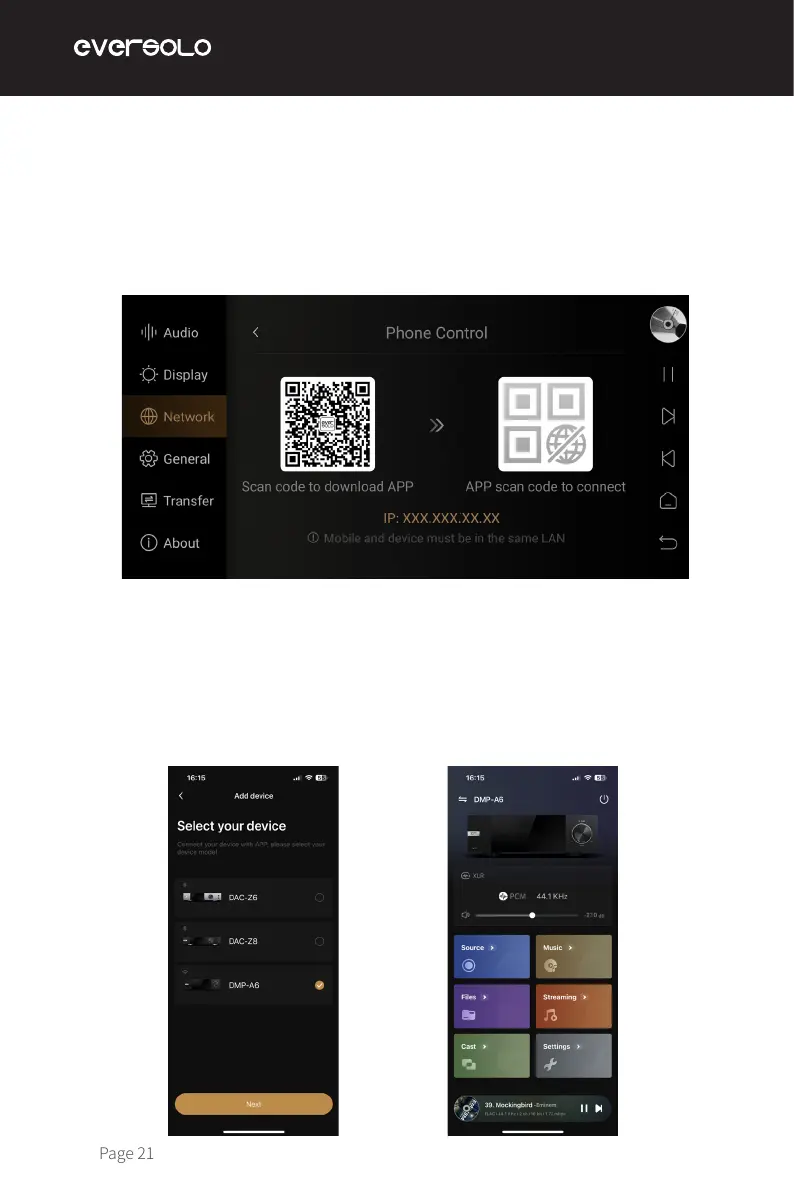
Access "Settings > Network > Phone Control", and scan QR code to download "Eversolo
Control" APP. Or download and install the APP on the ocial website and manual.
Please make sure the mobile phone is on the same network with the device, then open the
APP, select "DMP-A6" and go to the next step.You will see the home screen after connecting
successfully.
Network Settings
Mobile Phone Controlling APP


 To Next Page