Page 5
HIGH FIDELITY MUSIC STREAMER
Hardware
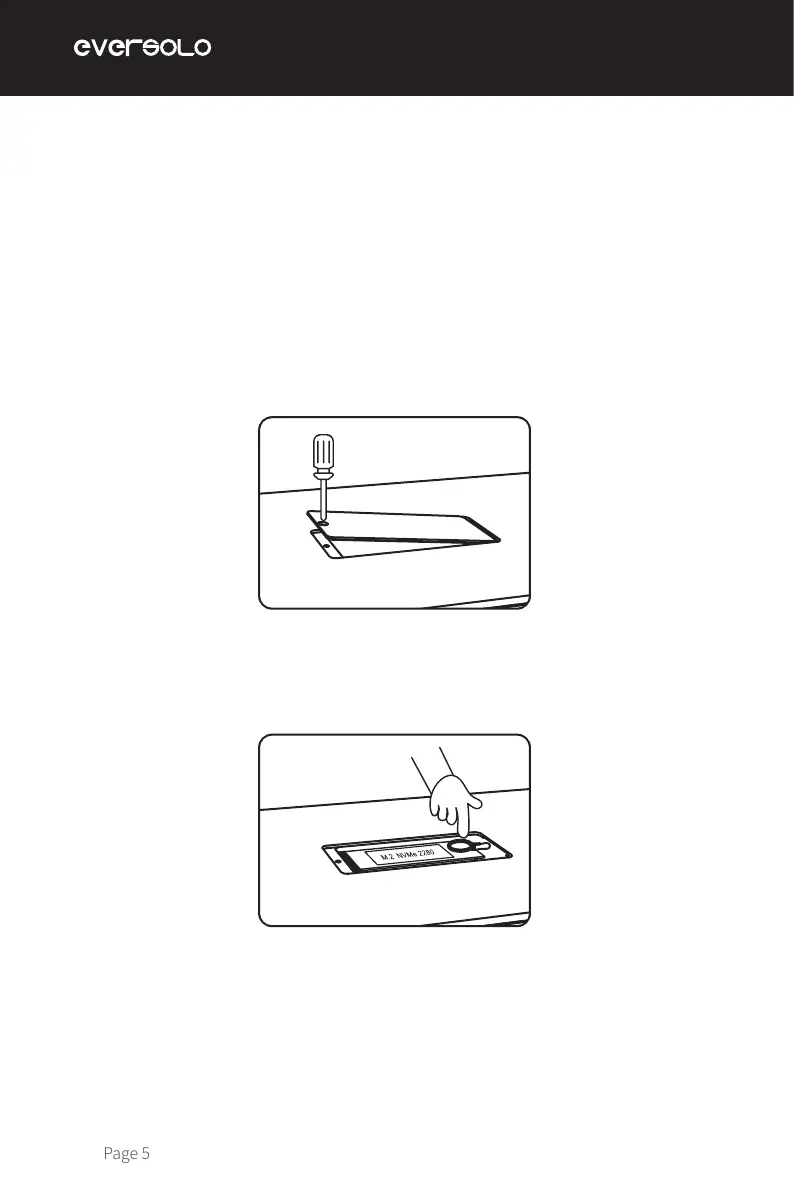
How to install SSD:
1. Lay the device upside down on the desk, remove the screws on the cover of the SSD slot
with a screwdriver, then uncover it.
2. Pull open the fastening clip to install the SSD, secure the SSD by pressing the clip, then
restore the screws and cover.
Notes:
1. The SSD must be installed and conform to the requested specication.
2. It is strictly forbidden to replace the SSD while powered on because doing so will harm the
SSD.
3. SSD le systems NTFS, EXFAT, and FAT32 are supported.
4. If the recently purchased SSD is unable to be recognized, formatting the hard disk via
“Home Screen > Files > Find the storage device > Tap the icon on left-top corner > Format”.
SSD isn't included in the device, a SSD can be installed manually after you receive the parcel
if required. M.2 (NVMe PCIe3.0) 2280 protocol SSDs up to 4TB is supported.
SSD Installation



 To Next Page