- 2 -
Definition of LED:
LED1 Power LED2 Connection
LED3 Network 1
LED
LED4 Network 2
LED
2.3.1 Power LED
Green light: The power is on.
Red light: The Flash is writing data.
Red light flashes every 5 seconds: The system time is not synchronized
after boot up.
2.3.2. Connection LED
Green light: OpenVPN has successfully connected to the server.
Red light: The DHCP function is enabled but could not obtain IP
information.
Red and green light flashes: The firmware upgrade function is enabled in
bootloader time.
Green light flashes with an interval of 0.5 seconds: The system is in
binding mode.
Green light flashes with an interval of 2 seconds: The system has
successfully added other U-Net devices.
Green light flashes with an interval of 0.1 seconds: If code learning has
timed out it will continue to flash for 4 seconds.
If code learning is aborted it will continue to flash for 1 second.
Green and red light flash 3 times: The system has successfully booted.
2.3.3 Network 1 LED
Green light: The RJ-45 socket near the connection button is connecting.
2.3.4 Network 2 LED
Green light: The RJ-45 socket near the DC power jack is connecting.
2.4 USB
There are three USB sockets in the box, which can plug to the 3G dongle.
3. Installation
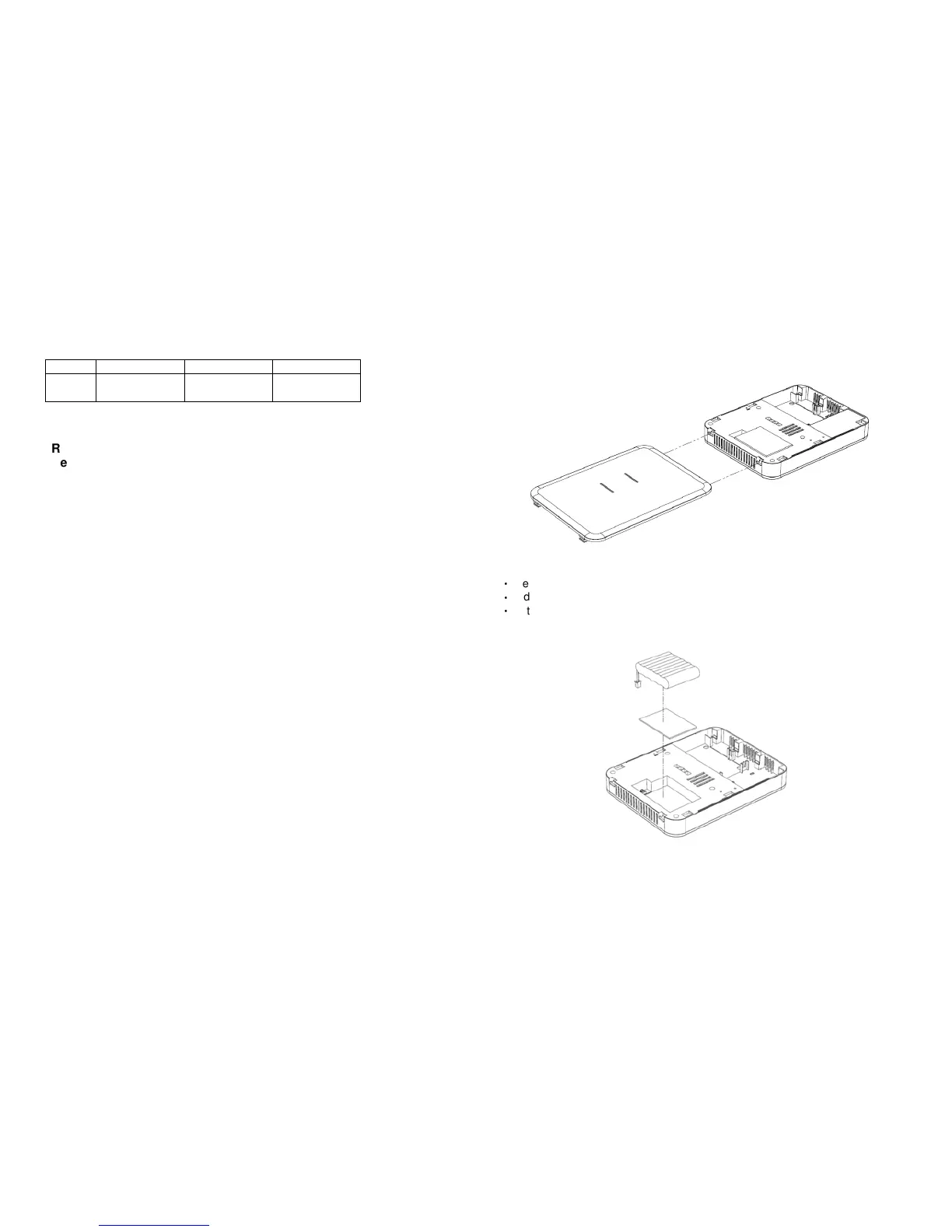
Figure 3 Upper cover installation
‧
Press and hold the latch.
‧
Slide to release the upper cover.
‧
Fit the latch to replace the upper cover.
Figure 4 Battery installation



 To Next Page
 Loading...