HOW TO : PRINTER CONNECTION
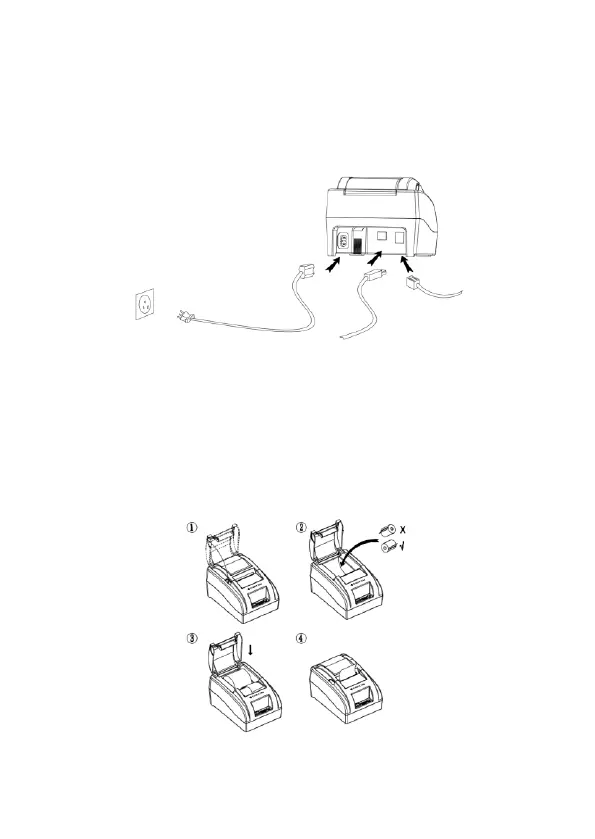
1. Connect the power cable to the printer power supply interface.
2. Connect the USB data cable to the printer’s USB interface.
3. If you have cash drawer, connect its cable to printer’s RJ11 interface.
4. Load paper roll using below paper loading guideline.
HOW TO : LOAD PAPER
EC58 Thermal receipt printer uses 58mm thermal paper roll, please make
sure you have the correct paper roll for the printer.
1. Firmly hold the top flip cover of the printer with your forefingers and pull
the cover upward direction to open the flip cover.
2. Put the thermal paper roll in the paper holder according to picture below.
3.Press down the flip cover to close it.
Note : Be careful on the roll direction, if reverse direction , printer won’t be
able to print the content.


 To Next Page