c. V eA DE—7
Gaming Case User Guide
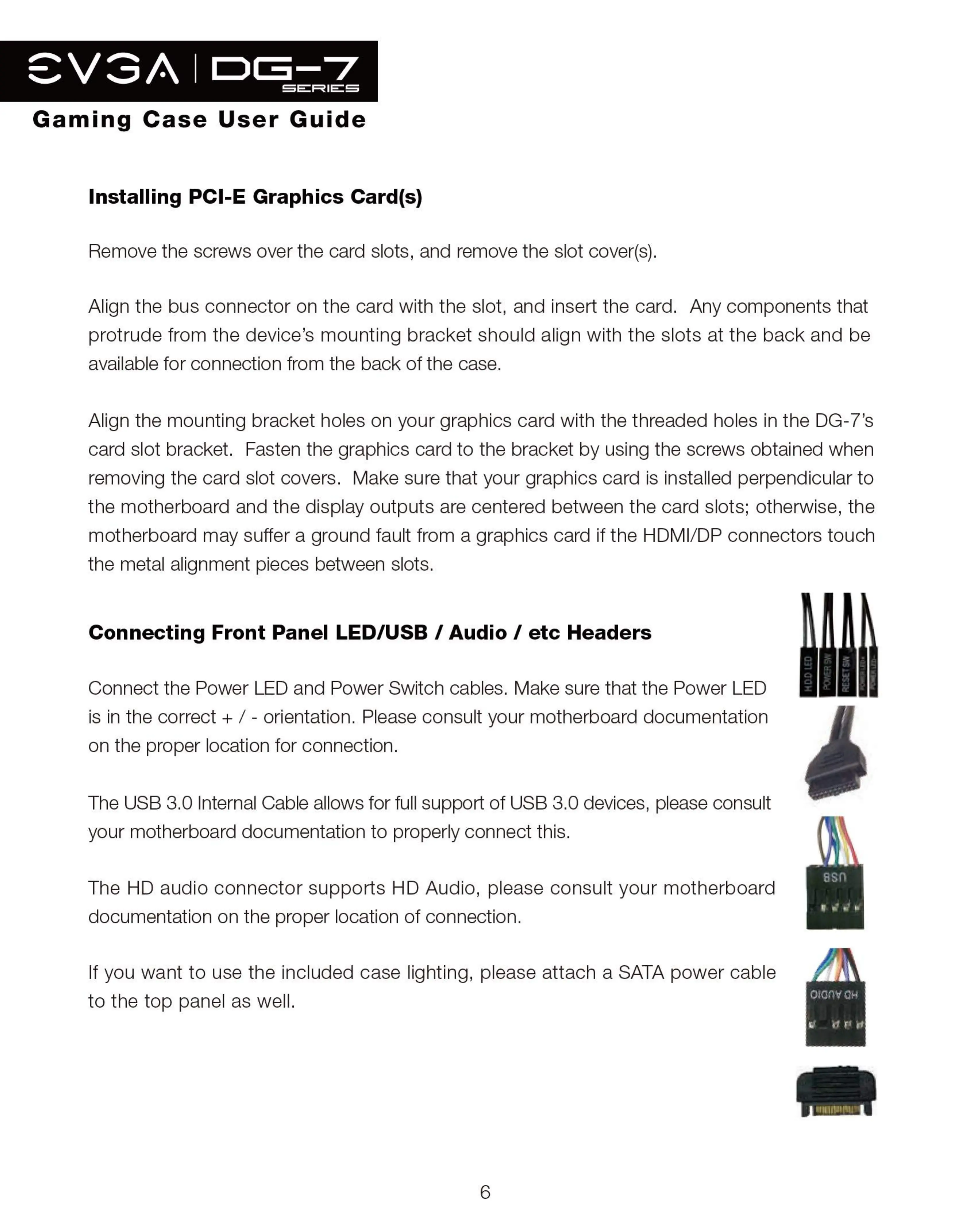
Installing PCI-E Graphics Card(s)
Remove the screws over the card slots, and remove the slot cover(s).
Align the bus connector on the card with the slot, and insert the card. Any components that
protrude from the device's mounting bracket should align with the slots at the back and be
available for connection from the back of the case.
Align the mounting bracket holes on your graphics card with the threaded holes in the DG-7's
card slot bracket. Fasten the graphics card to the bracket by using the screws obtained when
removing the card slot covers. Make sure that your graphics card is installed perpendicular to
the motherboard and the display outputs are centered between the card slots; otherwise, the
motherboard may suffer a ground fault from a graphics card if the HDMI/DP connectors touch
the metal alignment pieces between slots.
Connecting Front Panel LED/USB / Audio / etc Headers
Connect the Power LED and Power Switch cables. Make sure that the Power LED
is in the correct + / - orientation. Please consult your motherboard documentation
on the proper location for connection.
The USB 3.0 Internal Cable allows for full support of USB 3.0 devices, please consult
your motherboard documentation to properly connect this.
The HD audio connector supports HD Audio, please consult your motherboard
documentation on the proper location of connection.
If you want to use the included case lighting, please attach a SATA power cable
to the top panel as well.
6
asn
O$GOV OH


 To Next Page
 Loading...