EasyManua.ls Logo

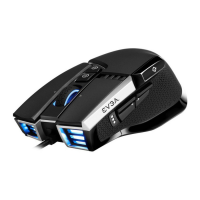
EVGA X17 - Setting Up Your X17 Gaming Mouse Features; DPI Status and LED Indicator Mapping; Sniper Button Functionality; Weight System Access and Adjustment

EVGA X17
8 pages
Print Icon
To Next Page IconTo Next Page
To Previous Page IconTo Previous Page
Loading...
SETTING UP YOUR X17 GAMING MOUSE
LED Indicator :
Sniper Button :
It allows you to change DPI to 400 (Default value) while held done.
Weight System :
Remove the bottom panel to access the weight system. From here you can add/remove weights.
LOD Sensors :
X17 Mouse is equipped with two LOD sensors. You can calibrate each LOD sensor with EVGA Unleash Software.
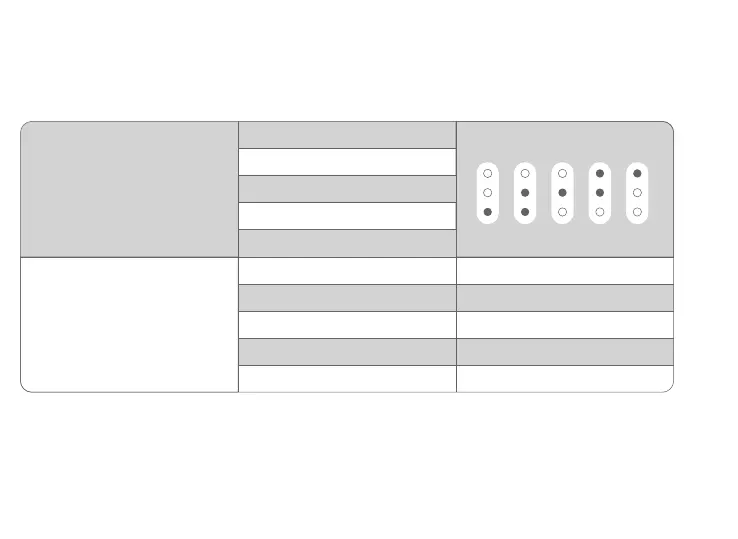
DPI Status
Stage 2 - 1600 DPI
Stage 1 - 800 DPI
DPI LED Indicator
#1 #2 #3 #4 #5
Stage 3 - 3200 DPI
Stage 4 - 6400 DPI
Stage 5 - 16000 DPI
Profile 2
Profile 1
Profile 3
Profile 4
Profile 5
LED - Orange
LED - Red
LED - Yellow
LED - Green
LED - Blue
Profile Status

Related product manuals