2
Parameter Setting
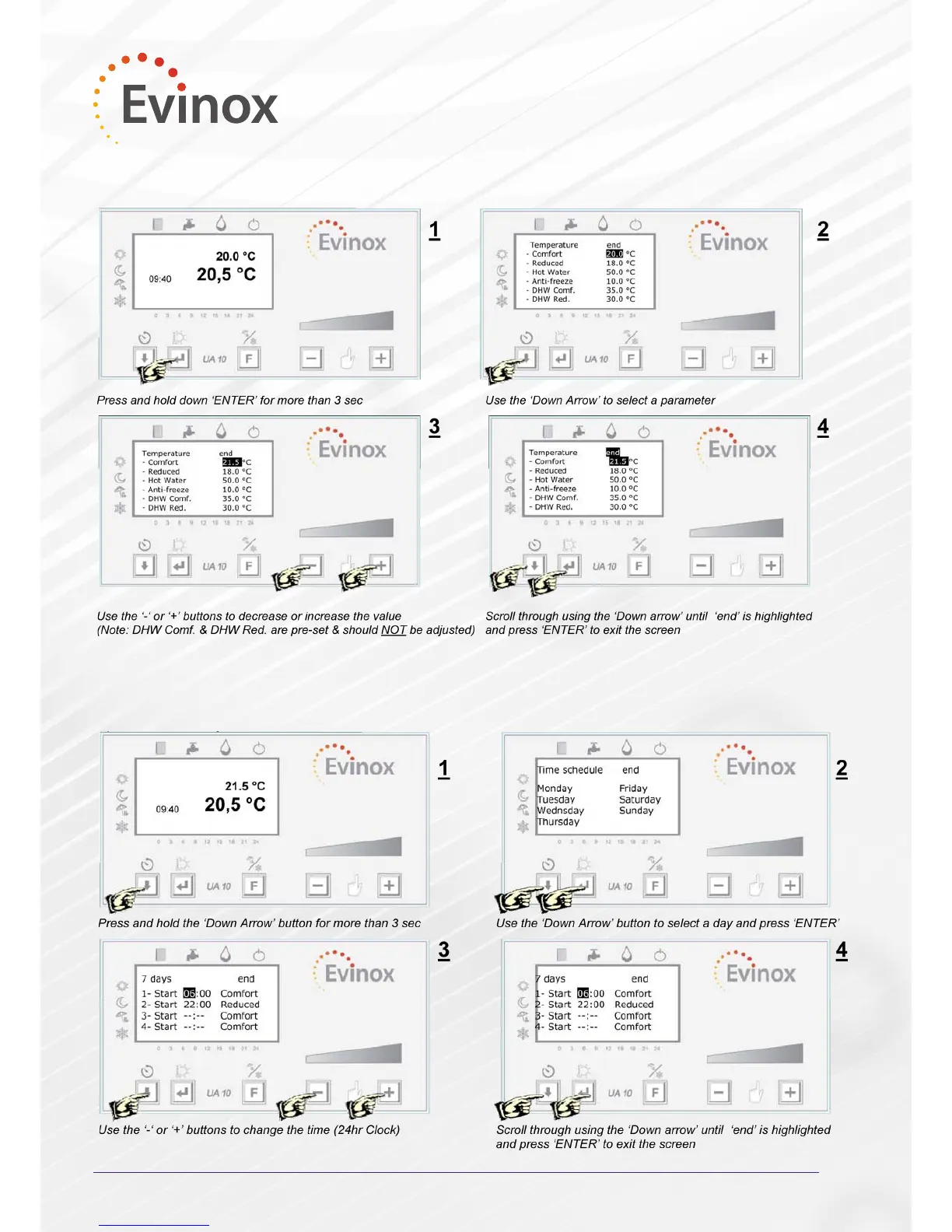
This operation allows the user to set the temperature set point for comfort, reduced, anti-freeze and HW, that will
follow the daily or weekly set time schedule.
Time Schedule Programming
The time schedule can be set to control the comfort, reduced or antifreeze operation of the system.
ModuSat
Room Controller
The temperature set point can be changed using the ‘+’ or ‘-‘ buttons. The set temperature can be changed within
+/- 3 °C.
Please Note: You must select the operating mode, as shown over the page, to activate the time schedule programme.
(For example, if you have selected a weekly programme you must select the “Weekly” mode in the “Set Mode” screen)
Weekly



 To Next Page