3
Operating Mode Selection
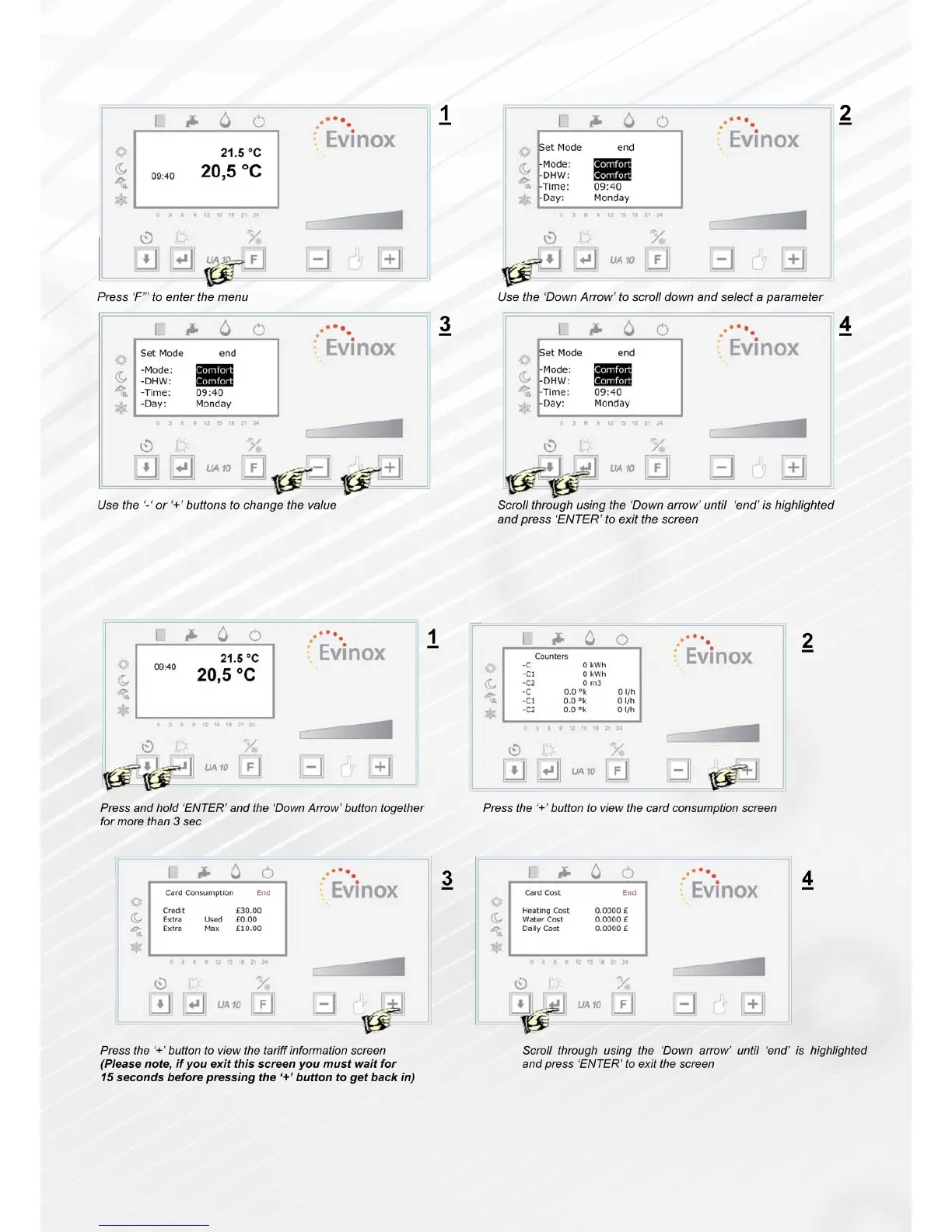
This operation allows the user to set the operating mode: comfort, reduced, daily, weekly, anti-freeze, clock date and
time. (DHW= Domestic Hot Water)
Reading Your Consumption Figures
The user can read the consumption gures for the unit, for example: C for heating, C1 cooling (when present) and C2
cold water (Only when a cold water meter is installed within the dwelling and connected to the Evinox system) The
display also shows the temperature and ow rate related to the three counters.
Denition of Card Consumption Figures:
Credit: The remaining energy credit
Extra Used: The amount of emergency credit that has been used
Extra Max: The max amount of emergency credit available
Heating Cost: The cost of each energy unit (per kwh)
Screen 3 & 4 below are only accessible when the PaySmart prepayment unit is tted.



 To Previous Page