EVISTR VOICE RECORDER
http://blog.evistr.com support-us@evistr.com
Page - 9 - of -25 -
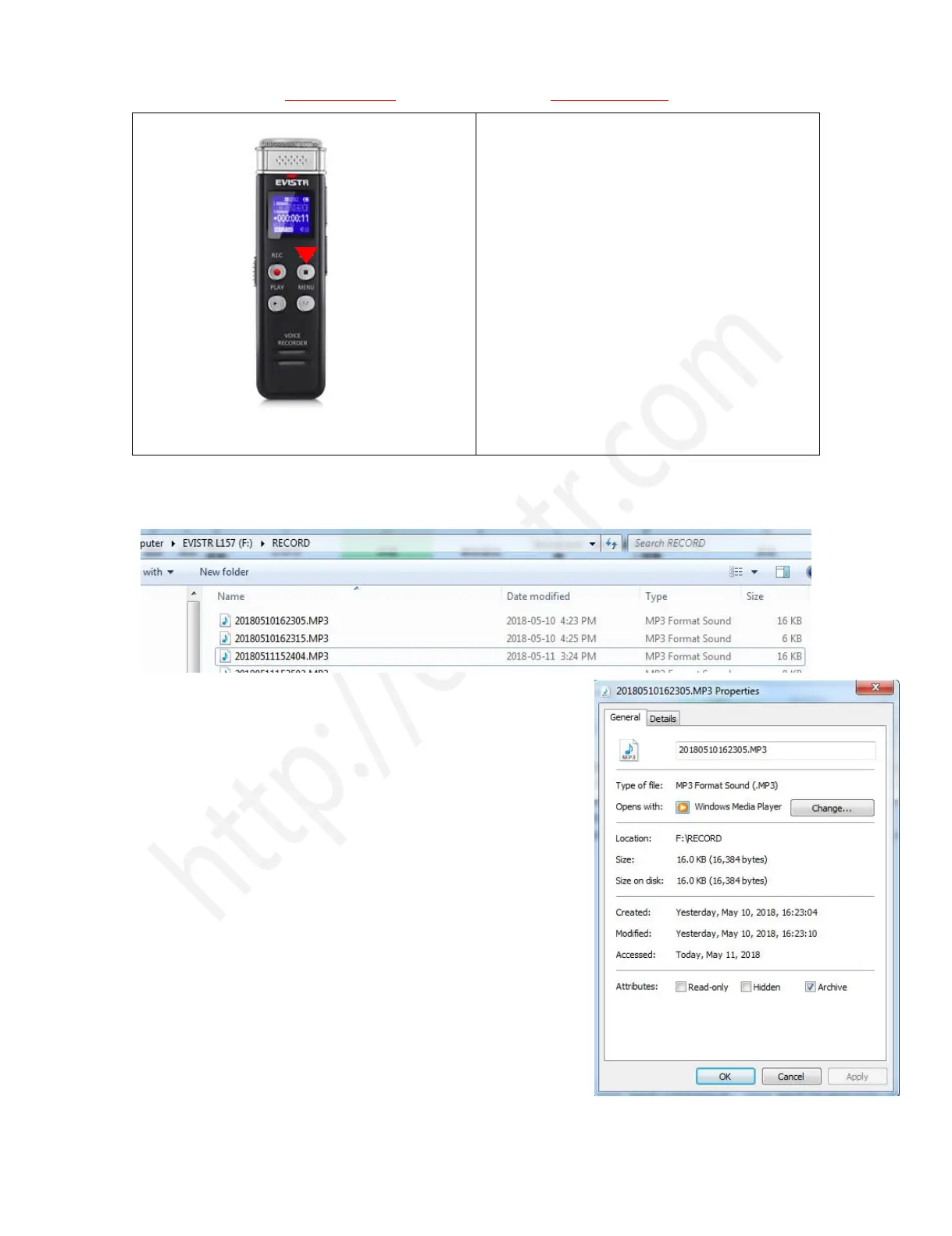
3) Press STOP, save recordings
NOTE: do not directly switch off voice recorder.
During Recordings, we must press STOP to save
the recordings before turn off the device
If, for example, we press REC and STOP 3 times, the recorder will create 3 recorded files
corresponding to each time, and they will typically be named
Each recordings will be saved a file names with date in sequence,
If we want to see the recorded date of file
“20180510162305.MP3”, we could click right button and view file
properties, we will see the recordings file time
File Name Format: Year-Month-Day-Hour-Minute-Seconds
See the right side picture shows:
6) How to Pause and Resume Your Recording
During recording, press PLAY pause recording
Press PLAY again, resume recording



 To Next Page