FX20 MOTORIZED TREADMILL
Visit us at: www.evofitness.com
21
COMPUTER OPERATION
PROGRAM 2 – TARGET DISTANCE
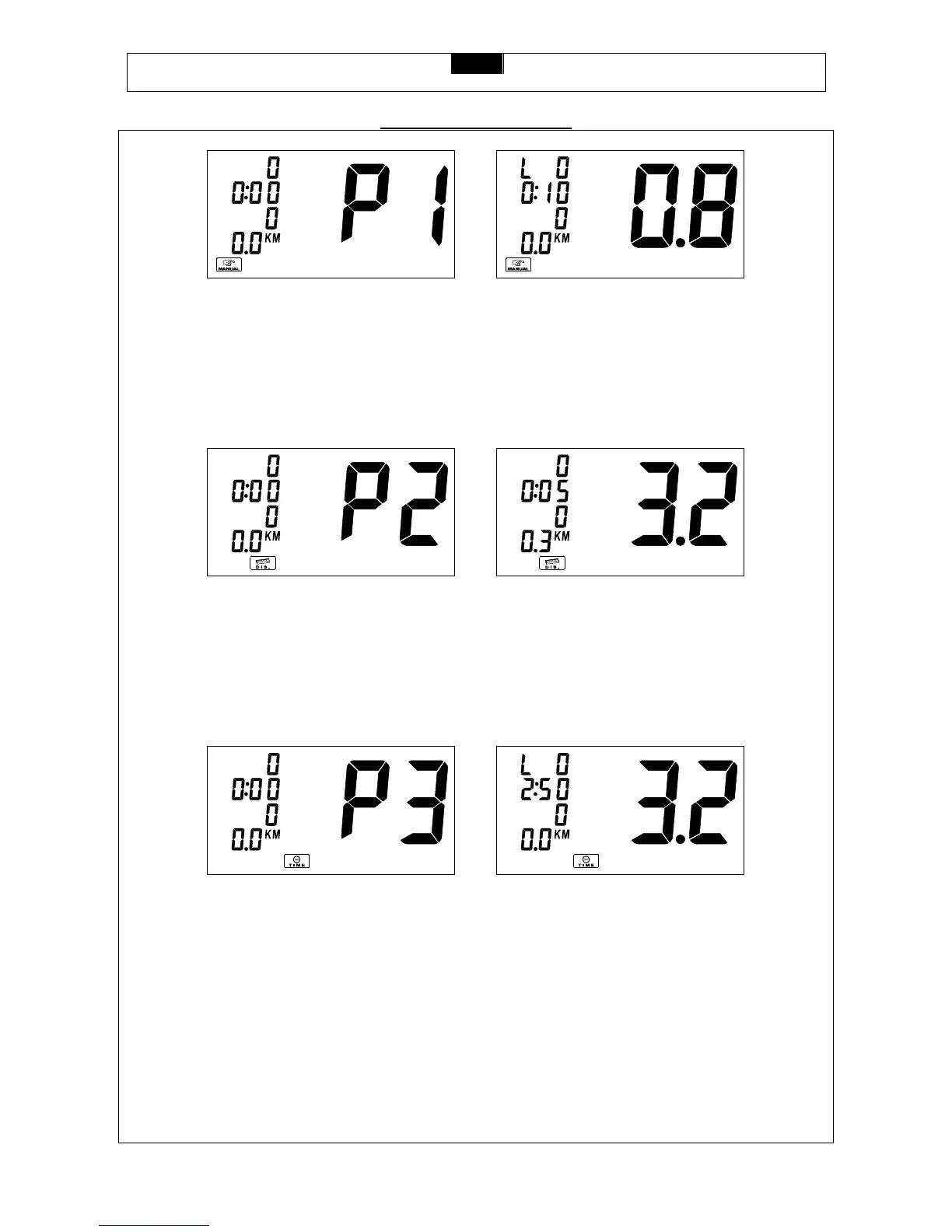
Press the INCLINE UP/DOWN button until the LCD shows P2 and is blinking. The bottom program indication shows
the DISTANCE PROGRAM image. Press the STOP/ENTER button to select the program. The DISTANCE digits will
show 0.0 and be blinking. Press the INCLINE UP/DOWN button to adjust the target distance and press the
STOP/ENTER button to confirm the target distance. Press the START button to start the program. The speed will start
from 2.0 MPH / 3.2 KPH and the incline will start from level 0. Press the SPEED UP/DOWN button to adjust the speed
and press the INCLINE UP/DOWN button to adjust the incline level. Time and Calories will count up from 0 and the
distance will count down from the target distance.
PROGRAM 3 – TARGET TIME
Press the INCLINE UP/DOWN button until the LCD shows P3 and is blinking. The bottom program indication will show
the TIME PROGRAM image. Press the STOP/ENTER button to select the program. The TIME display digits will show
0:00 and be blinking. Press the INCLINE UP/DOWN button to adjust the target workout time and press the
STOP/ENTER button to confirm the target workout time. Press the START button to start the program. The Speed will
start from 2.0 MPH / 3.2 KPH and the Incline will start from level 0. Press the SPEED UP/DOWN button to adjust the
speed and press the INCLINE UP/DOWN button to adjust the incline level. The Distance and Calories will count up from
0 and the Time will count down from the target workout time.



 To Next Page