EasyManua.ls Logo

Evolite ArchiTECH 270 - Auto Mode; DMX Mode

Evolite ArchiTECH 270
Print Icon
To Next Page IconTo Next Page
To Previous Page IconTo Previous Page
Loading...
ArchiTECH 270 Manual Ver. 1.00 Page14
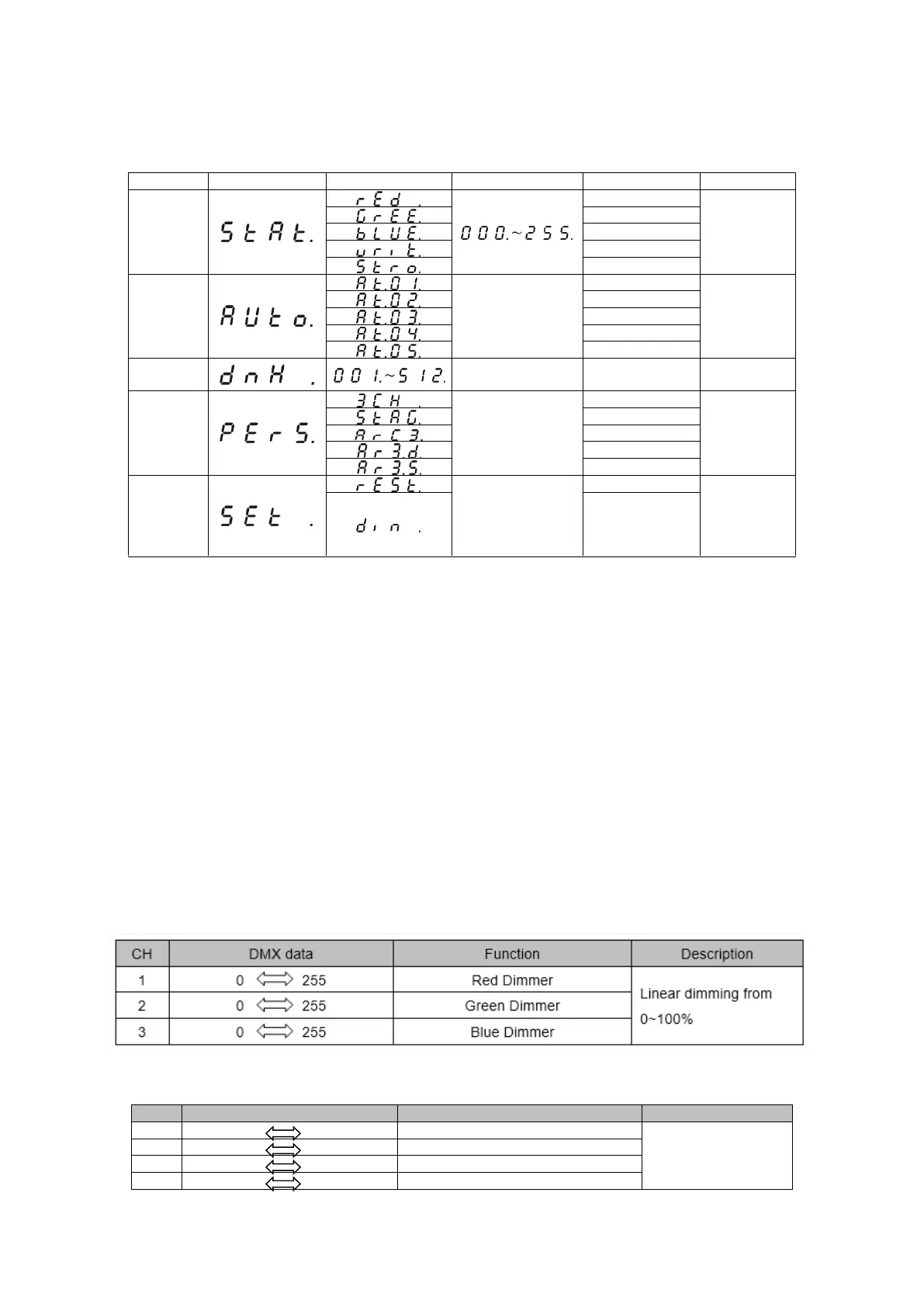
Item
Menu
Sub-menu
3
rd
-menu
Function
Description
STATIC
Red
Static color
setting
Green
Blue
White
Strobe
AUTO
Auto effect 1
Auto effect
choosing
Auto effect 2
Auto effect 3
Auto effect 4
Auto effect 5
DMX
Address
code setting
PERS
3CH
DMX
channel
mode
setting
9CH
4CH
5CH
6CH
SETTING
Restore factory
setting password
is
UP+DOWN+UP+
DOWN
Reset
Reset and
DIM setting
DIM1~8
o Auto Mode
Press the MENU until it shows AUTO.
Use the UP/DOWN buttons to set to At1 > At5, Press ENTER to confirm.
o DMX Mode
DMX mode is selected in the main menu.
You can control the projectors individually via your DMX-controller
Just select the fixture address, knowing that this address will be the start address. (1
st
DMX channel).
Note. If 2 fixtures are addressed with same DMX value, they will move exactly the same way.
o DMX Protocol 3 channel
o DMX Protocol 9 channel (STAG)

CH
DMX data
Function
Description
1
0 255
Overall Dimmer
Linear dimming from
0~100%
2
0 255
Red Dimmer
3
0 255
Green Dimmer
4
0 255
Blue Dimmer

Related product manuals