4
USER MANUAL (ENGLISH)
Congratulations!
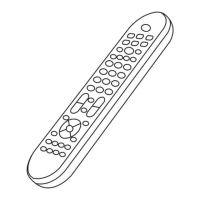
Your Universal Remote Control (URC) is a
state-of the-art device which integrates
many dierent infrared remote controls
to deliver instant A/V action to your
ngertips.
It replaces up to 6 separate remote
controls to operate infrared controlled
televisions (TV), video cassette recorders
(AUX), DVD, satellite receivers (SAT),
cable boxes (HOM.), etc.
How to install batteries
Alkaline batteries recommended. The
number of battery required stated at the
back of the coversheet.
1. Remove the battery cover on the back
of your “URC”.
2. Observe the polarity of the batteries
and the “+/-” marks inside the battery
compartment.
3. lnsert the batteries.
4. Push the battery cover back in place.
Settings Methods:
Input codes
1. Select the device you want to control
(example: TV).
2. Press and hold “CODE” key for two
seconds, red led will be on.
3. Select the device you want to control
form the code list table and input
the code.
4. For testing the device press the power
key, if it doesn’t work or fully function
on your device, please try another
code.
Semi-Automatic search functions
1. Select the device you want to control
(example: TV)
2. Press and hold “CODE” key for two
seconds, red led will be on.
3. Press VOL+ or VOL-, it will search
power codes from front or back.
4. Press “CODE” key and exit.
Auto search function
1. Select the device you want to control
(example: TV)
2. Press and hold “CODE” key for two
seconds, red led will be on.
3. Press “1111”, the led will start blinking.
The remote will search the power
codes.
4. Press the “CODE” key for stop the
searching and save the current code.
System reset
Press the “CODE” key for two seconds in
any device, the red led will start lighting.
Input “0000”, the system restore to the
original condition.
Maintenance
1. Do not expose your URC to dust, sun,
humidity, high temperature or falls.
2. Do not combine old batteries with
new ones, as the old batteries tend to
give o acid.
3. Do not use abrasive or corrosive
cleaning methods.
4. Keep your URC free of dust using a
soft dry cloth.
5. Do not dismantle the URC, it does
not contain useful pieces for other
purposes.
Code List: Appendix.
TV – Page 10 - 15
DVD – Page 15 - 17
SAT – Page 17 - 18
AUX – Page 18 - 19


 To Next Page