Battery Indicator
Evolution lithium battery provides two different shape optional battery indicators for
customer, round shape and diamond shape. Also provide the connecting cable for the
battery indicator.
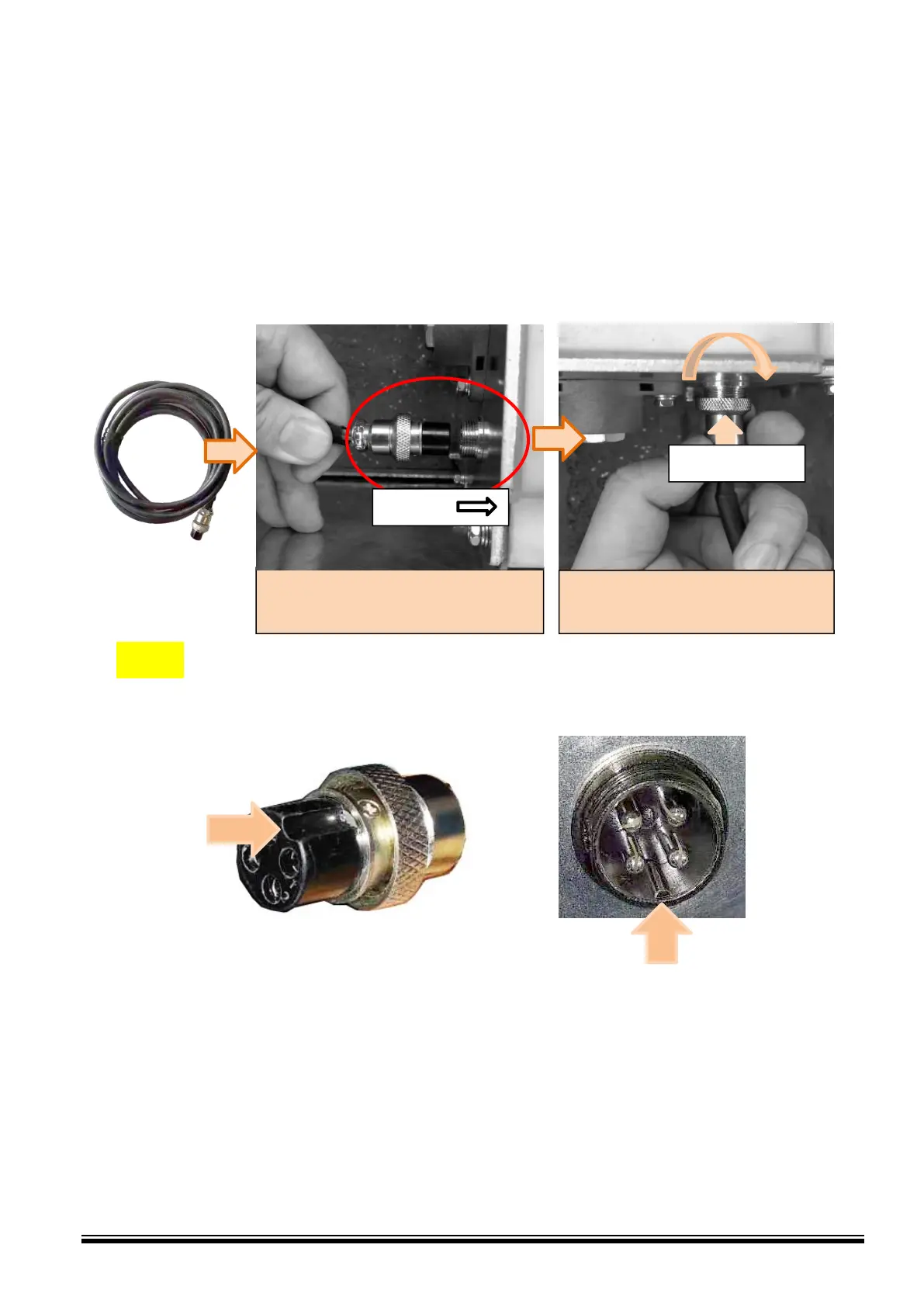
Connecting cables
NOTE: While plugging this battery indicator, one should be noted that the grove of male
plug must be fit to the boss of female connecting port, otherwise it cannot be pushed in.
Push the battery indictor male plug into
the port as following direction.
Rotate clockwise the Lock cap to
tighten the connector.
Battery power indicator wiring diagram
Both two kinds of indicators both have four pins:
Positive +5V—Red Cable
Negative—Black Cable
RS485 HI—Yellow Cable
RS485 LO—Green Cable



 To Next Page